How to verify your identity
Before money from paid tickets can be paid out to you, we check that you are who your payout account says. It takes a minute, and we usually reply within a working day. Free events don't need it.
Step 1 of 4
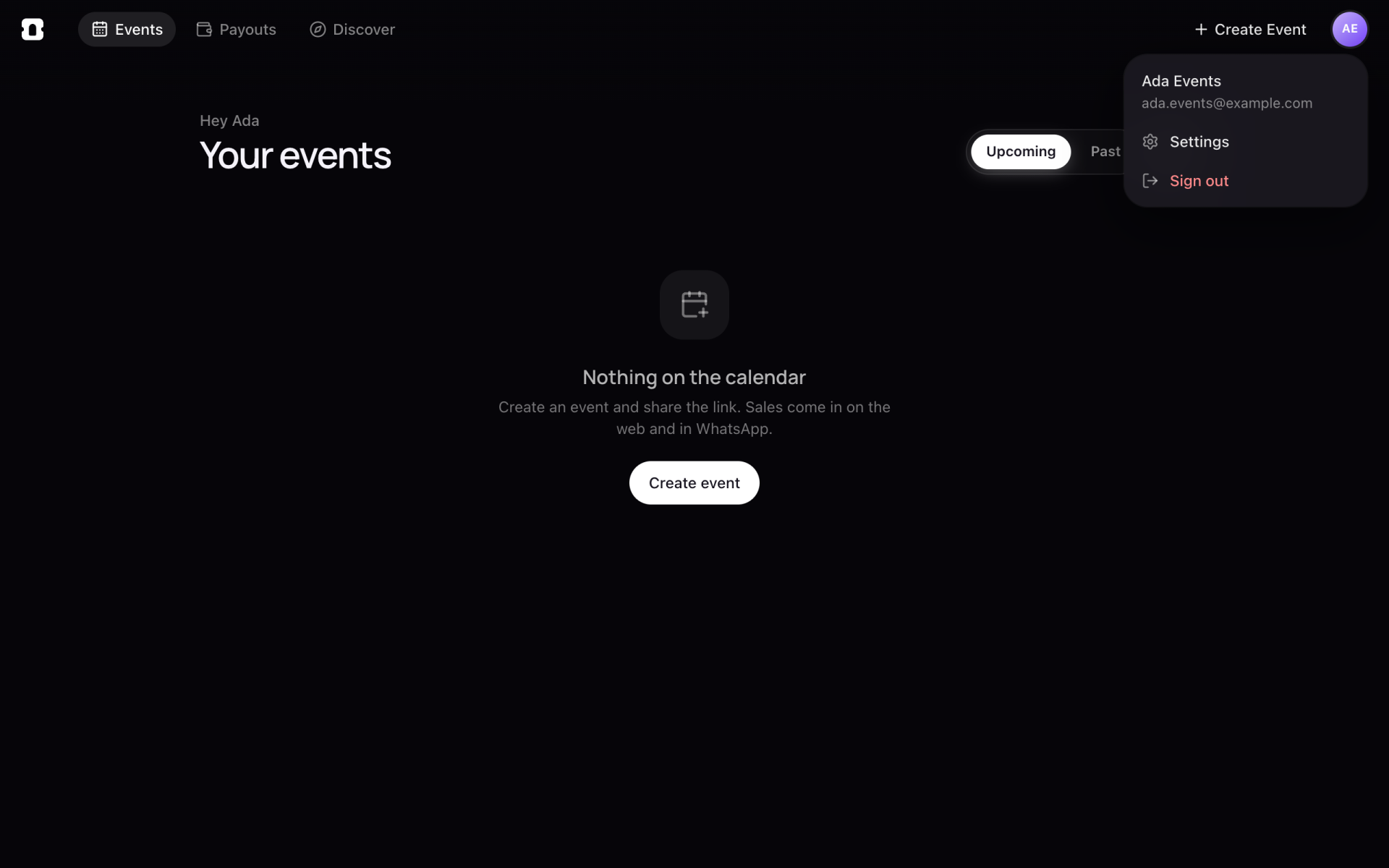
Open Settings
- Click your initials at the top right, then Settings.
Step 2 of 4
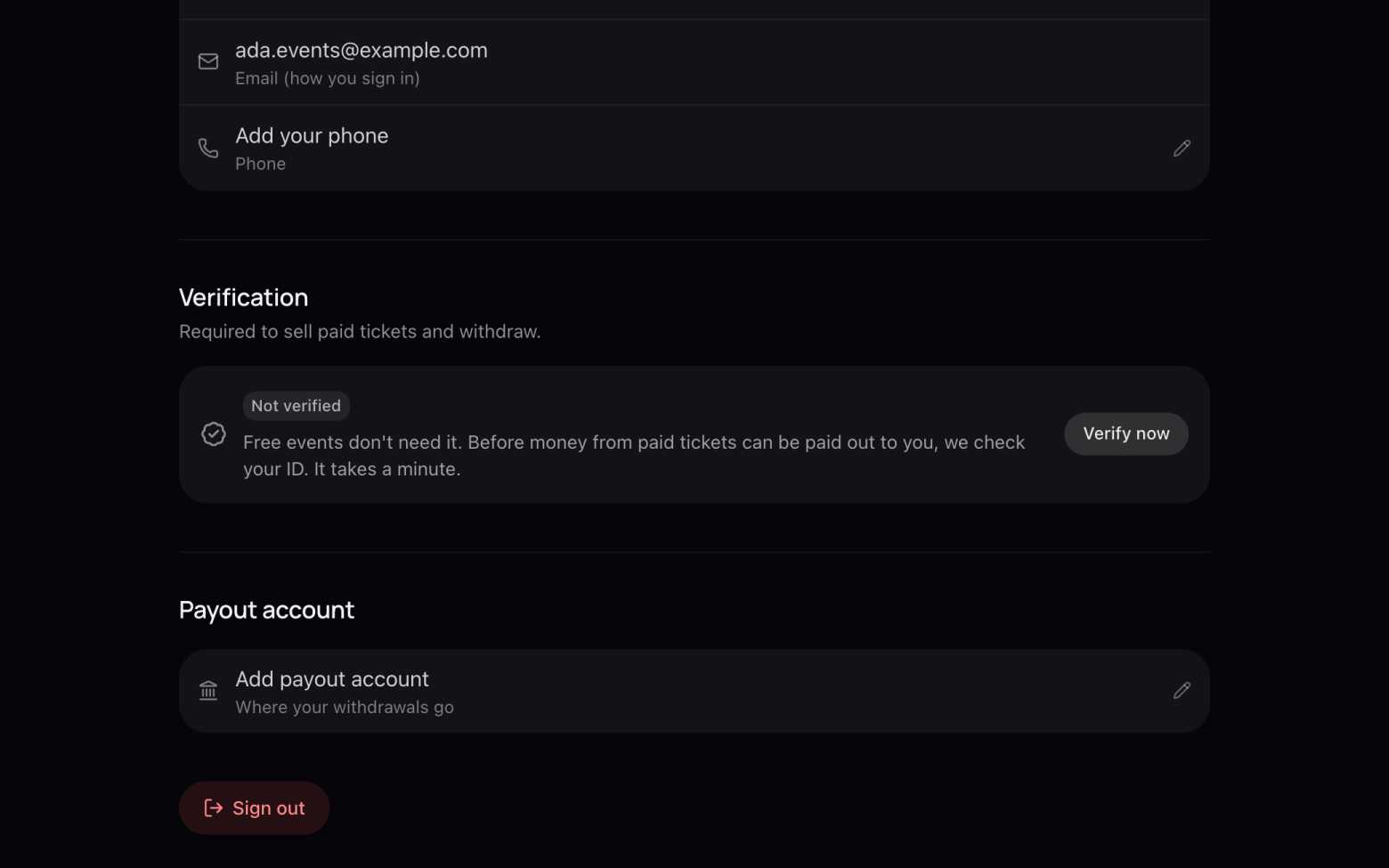
Start verification
- Under Verification, click Verify now.
Step 3 of 4
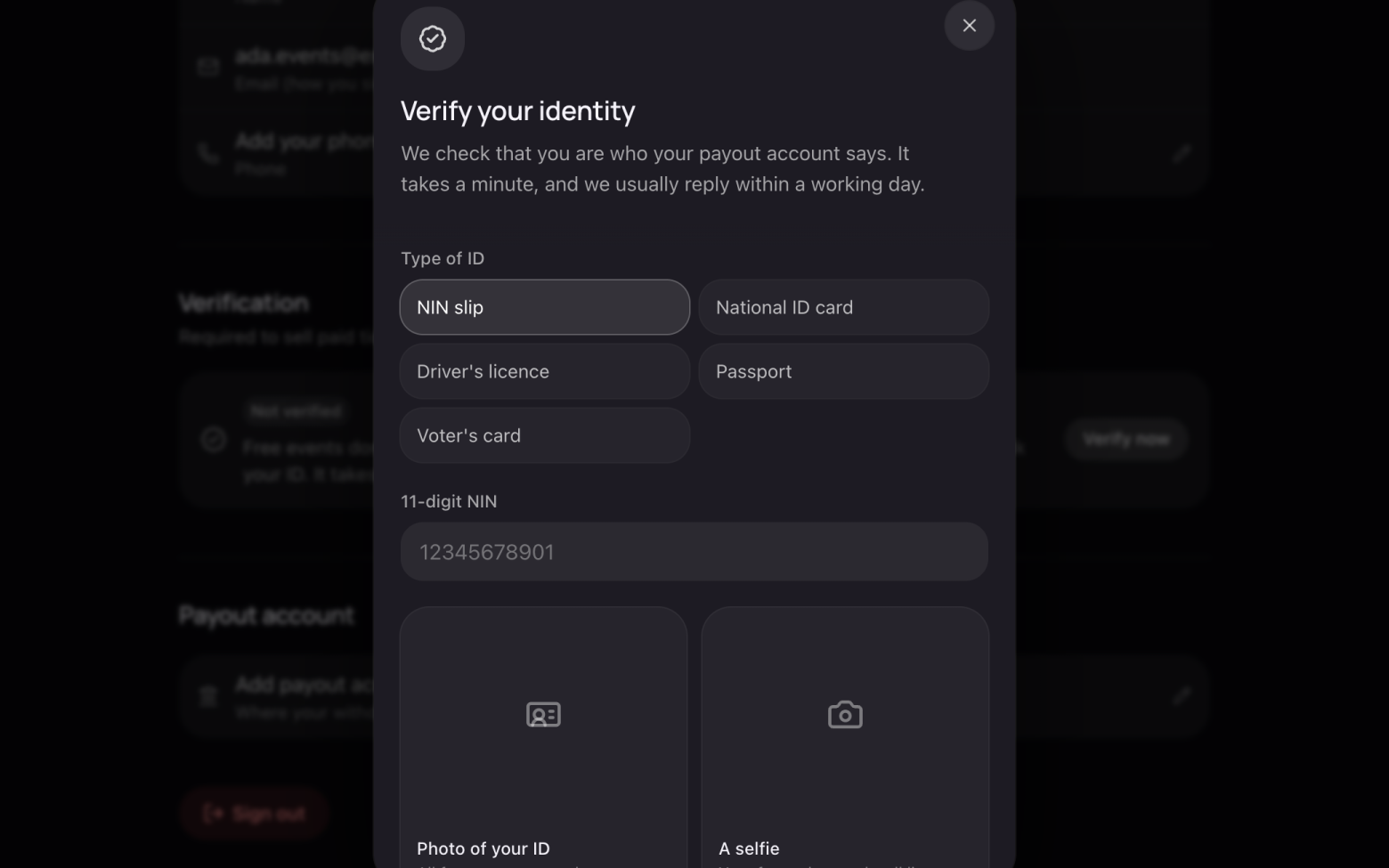
Send your ID and a selfie
- Pick your type of ID: NIN slip, National ID card, Driver's licence, Passport or Voter's card.
- Enter its number.
- Add a photo of the ID, with all four corners in the shot and no glare.
- Add a selfie: your face, clear and well lit. Then send it.
Step 4 of 4
Wait for the check
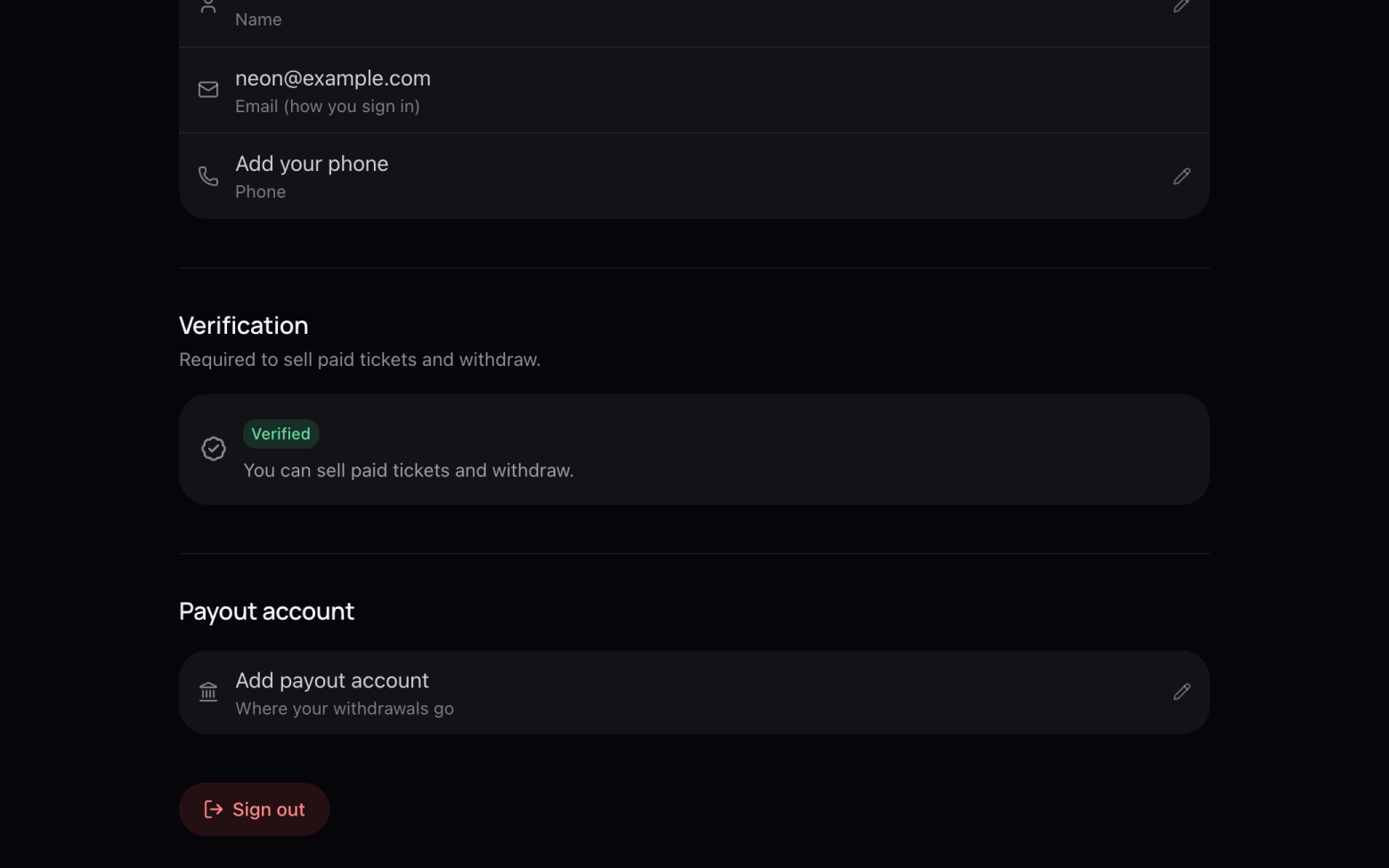
- We email you when it's done, usually within a working day.
- Once you're Verified, it shows in Settings and your sales can be paid out.
If we can't approve it, the email says why, and you can send it again.
Still stuck? Email support@entrans.app and tell us what you were trying to do.
Next guideHow to add your bank account and withdrawMore on hosting an event
- How to create an event
- How to add and edit ticket types
- How to set the service fee, order limit and refund policy
- How to share your event
- How to update your event
- How to create a discount code
- How to scan tickets at the door
- How to add people to your crew
- How to see and export your guest list
- How to cancel an event