How to add your bank account and withdraw
Your sales build up in Payouts. Once they're ready, you withdraw them to your bank account. Withdrawals are free.
Step 1 of 4
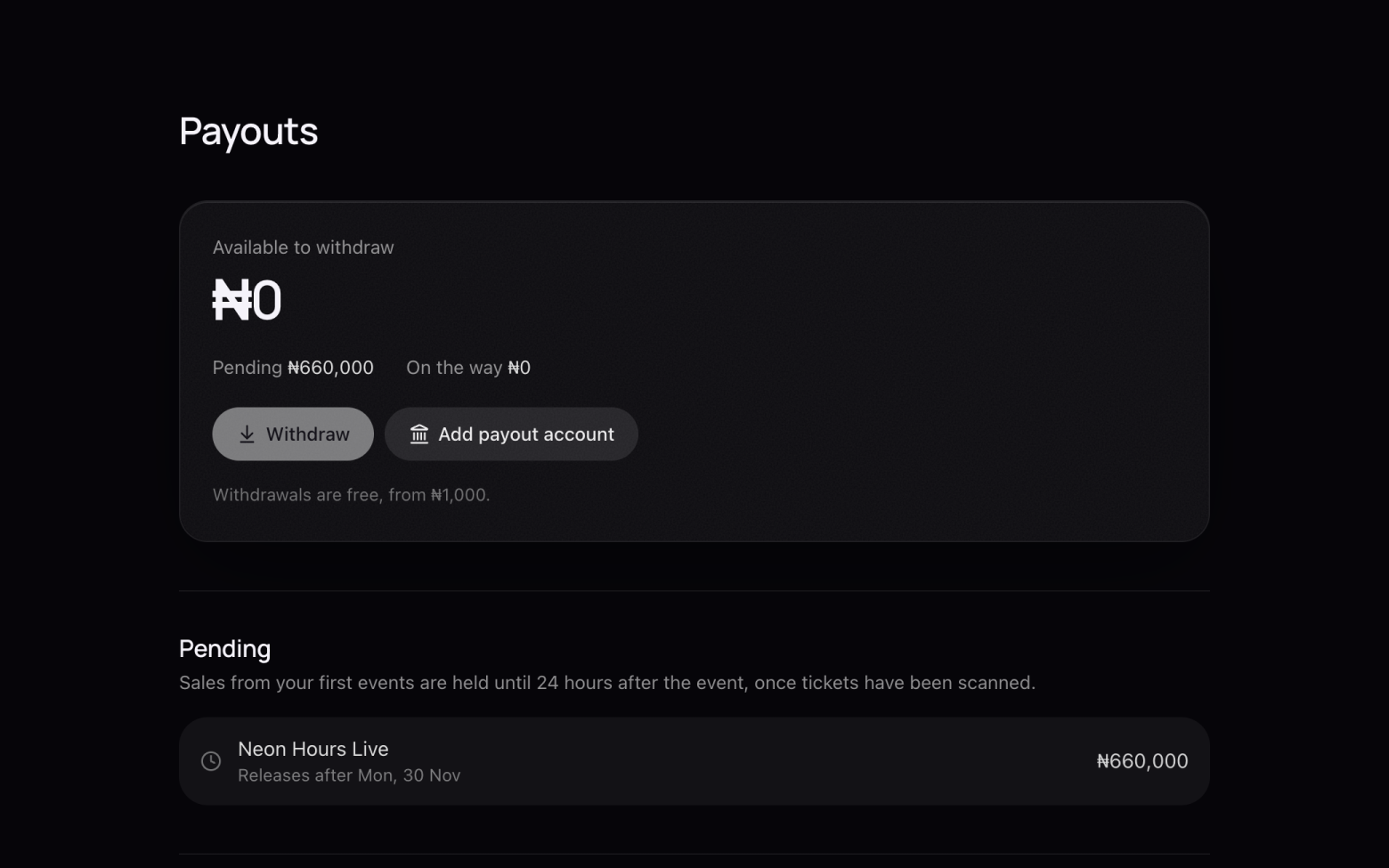
Add your payout account
- Click Payouts at the top.
- Click Add payout account.
Step 2 of 4
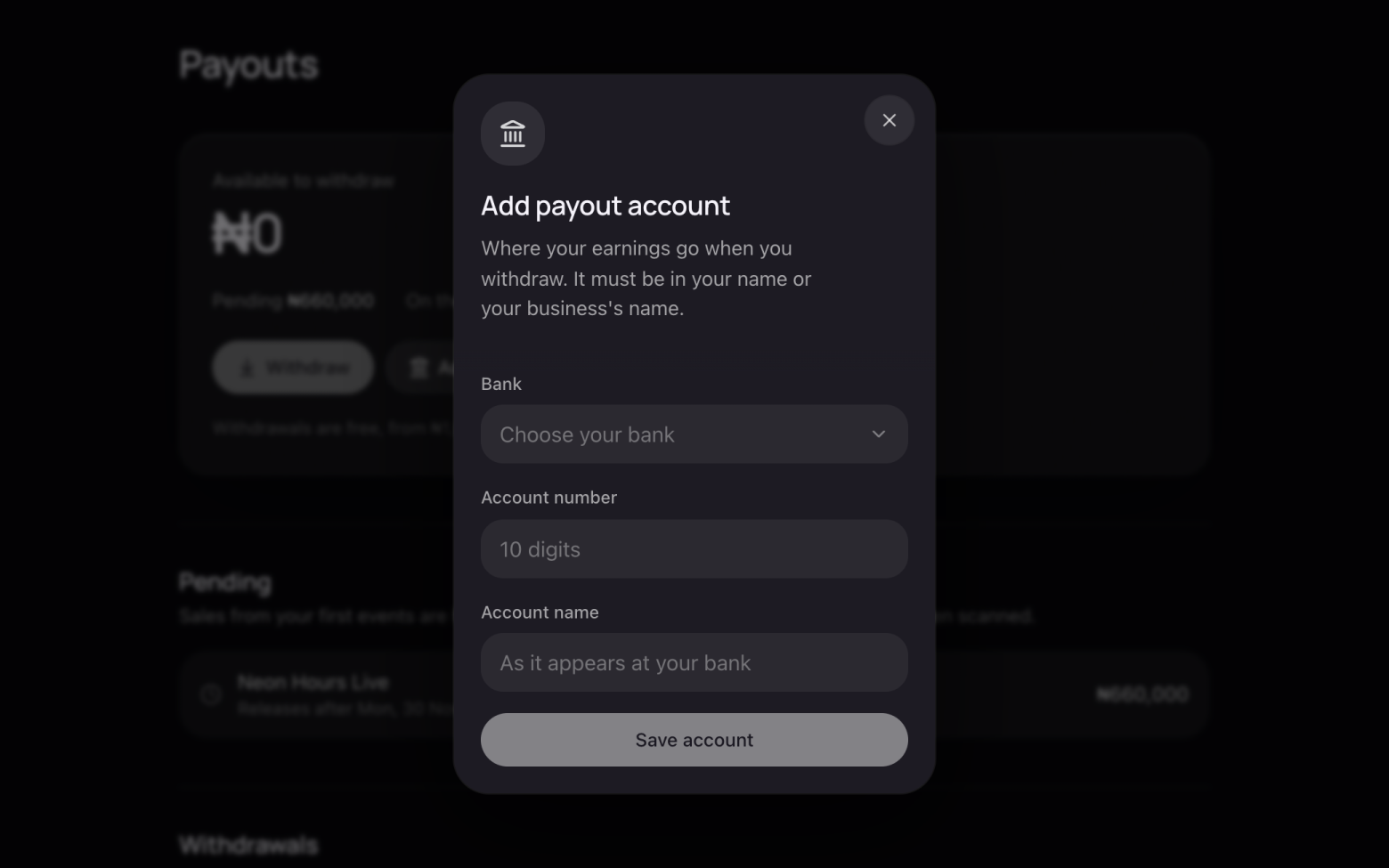
Enter your bank details
- Choose your bank and enter your 10-digit account number.
- Enter the account name as it appears at your bank. It must be in your name or your business's name.
- Click Save account.
Step 3 of 4
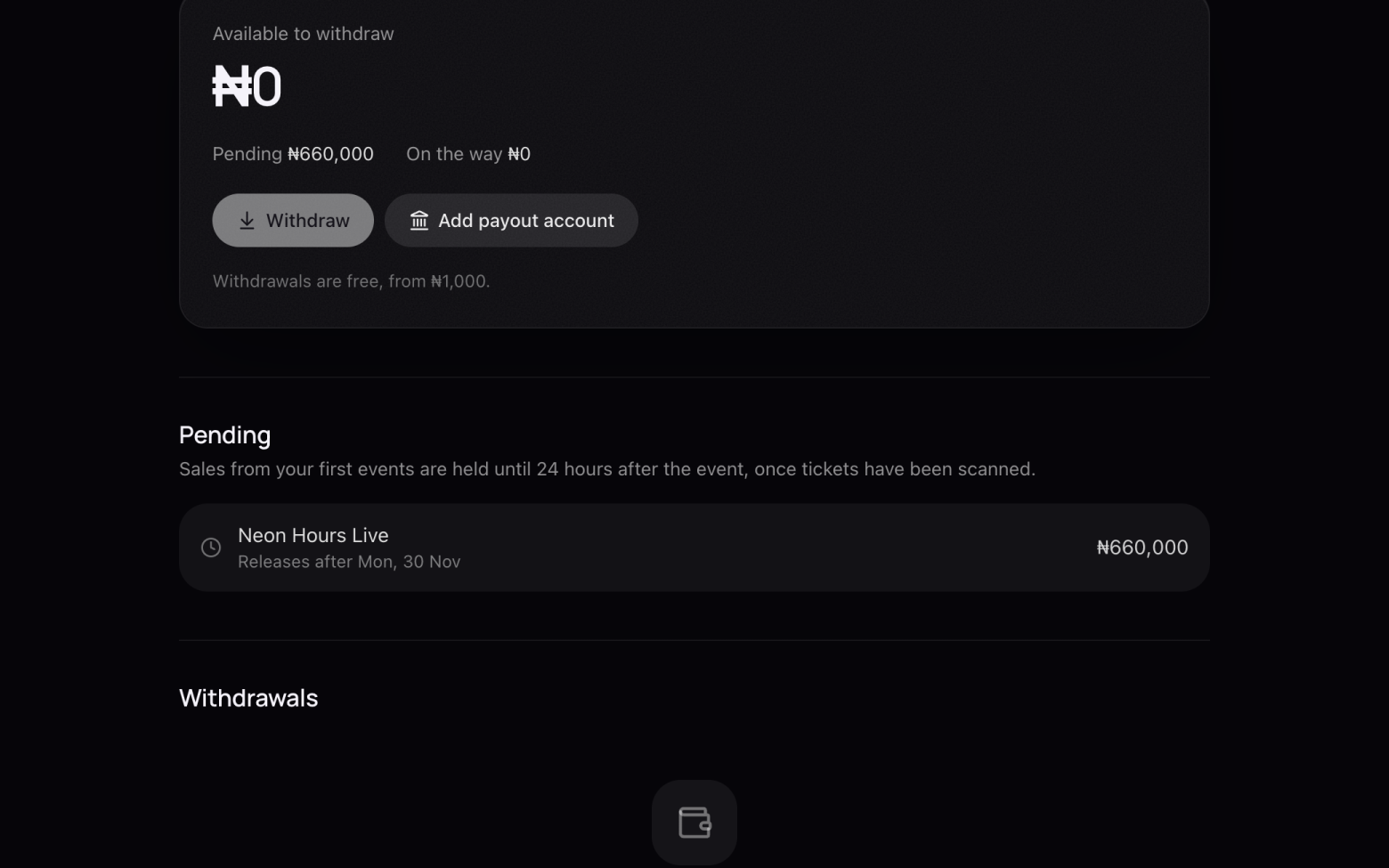
When your money is ready
- Sales from your first events are held until 24 hours after the event, once tickets have been scanned.
- Held money shows under Pending, with the day it's released.
Step 4 of 4
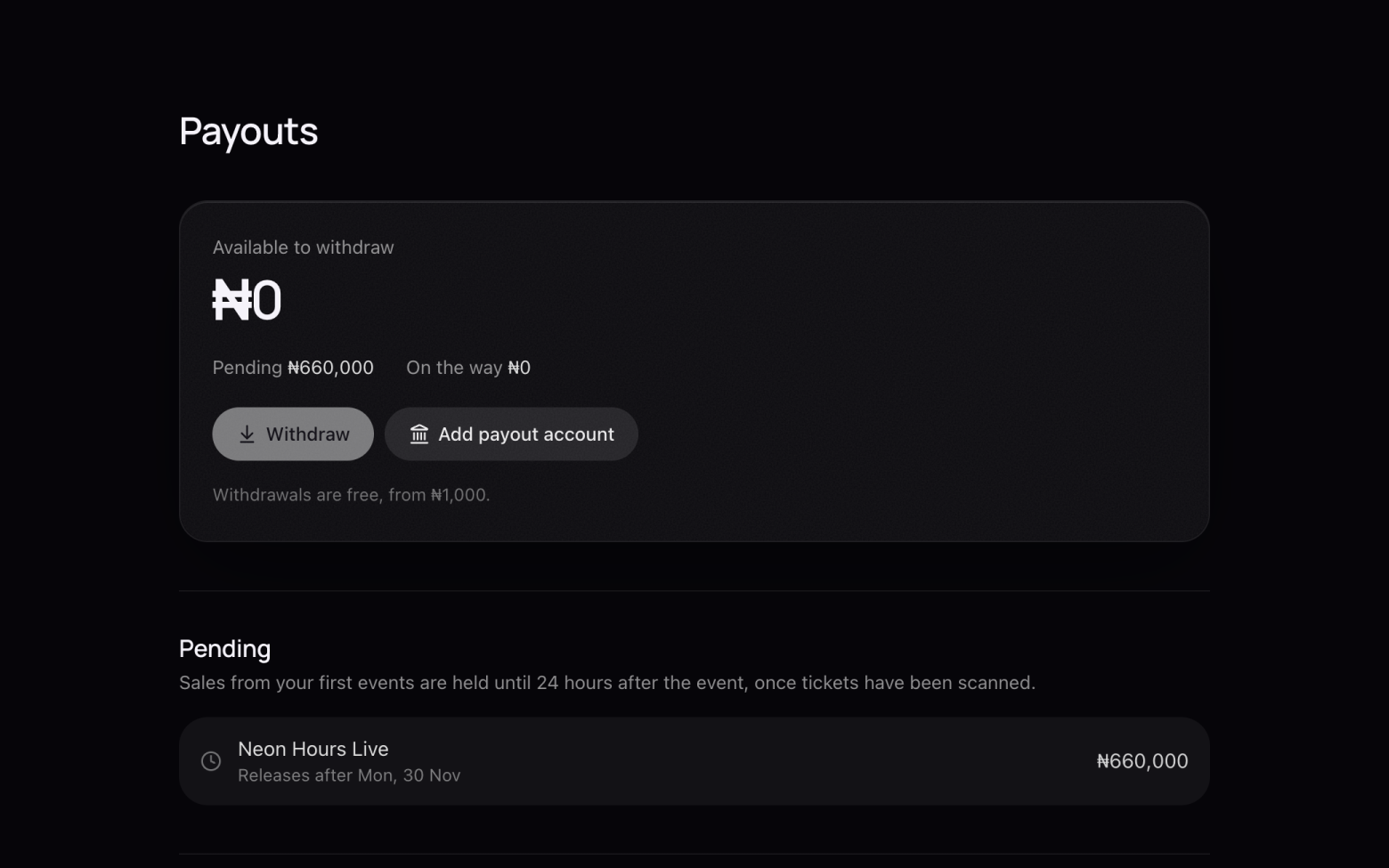
Withdraw
- When there's money under Available to withdraw, click Withdraw. You can withdraw from ₦1,000.
- Each transfer shows under Withdrawals with its status, and we email you when it's sent.
Still stuck? Email support@entrans.app and tell us what you were trying to do.
Next guideHow to cancel an eventMore on hosting an event
- How to create an event
- How to add and edit ticket types
- How to set the service fee, order limit and refund policy
- How to share your event
- How to update your event
- How to create a discount code
- How to scan tickets at the door
- How to add people to your crew
- How to see and export your guest list
- How to verify your identity