How to set the service fee, order limit and refund policy
Every event has three checkout settings. You choose them when you create the event, and you can change them later from Edit. Changes save as soon as you make them.
Step 1 of 4
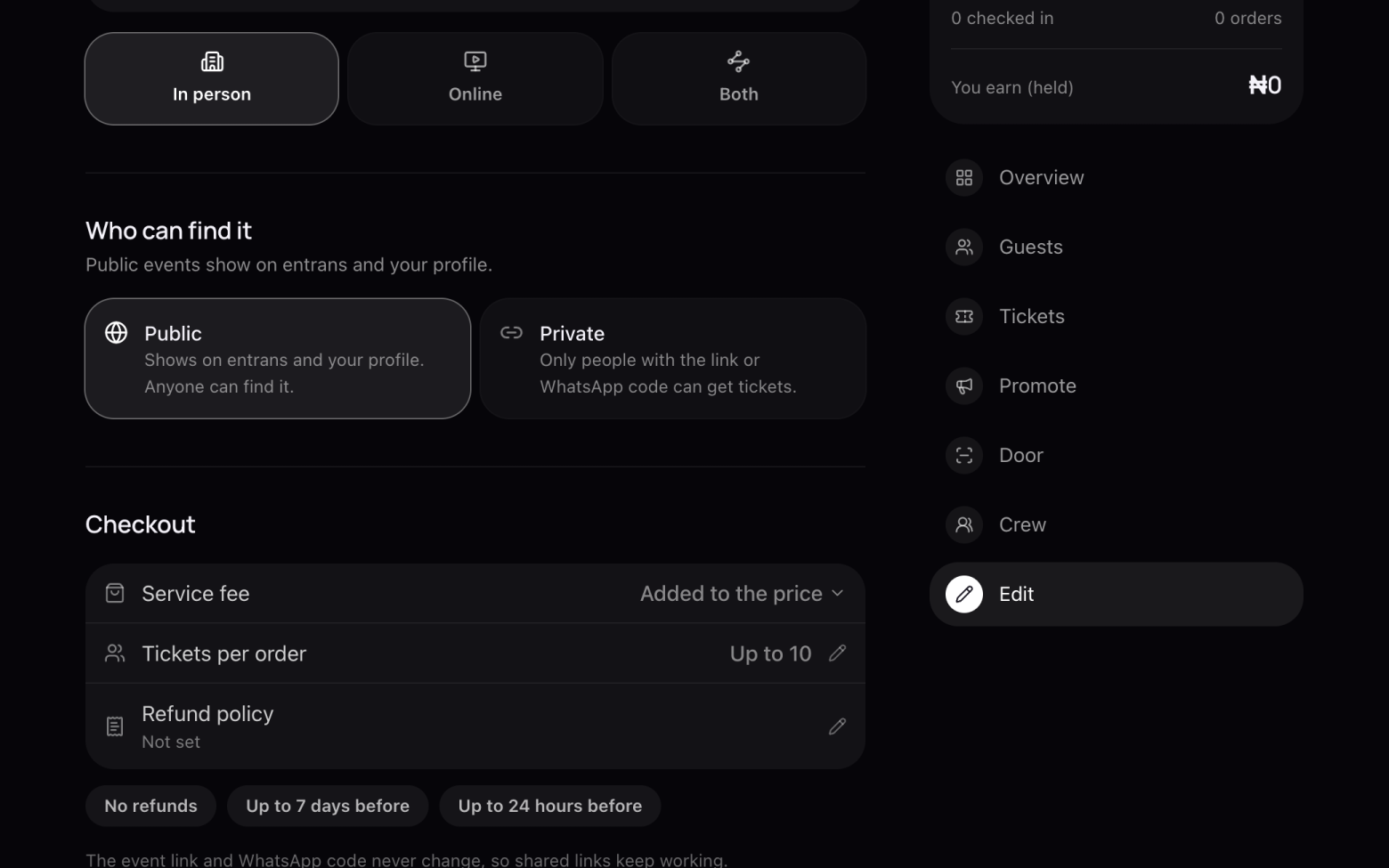
Open Edit
- Open your event and click Edit in the menu on the right.
- Scroll down to Checkout.
Step 2 of 4
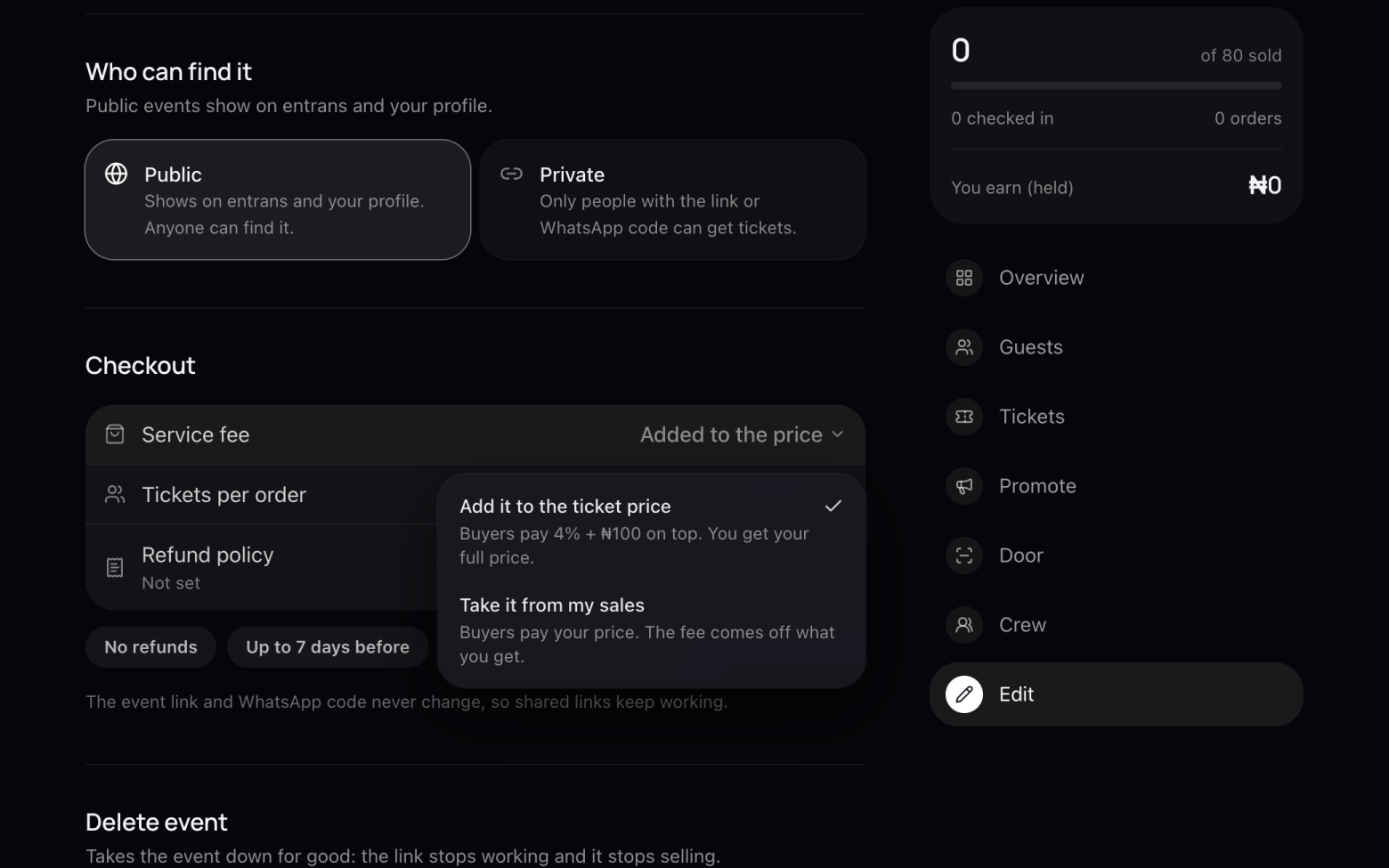
Choose who pays the service fee
- The fee is 4% + ₦100 per paid ticket, VAT included. Free tickets have no fee.
- Add it to the ticket price: buyers pay the fee on top, and you get your full price.
- Take it from my sales: buyers pay your price, and the fee comes out of what you get.
Once your first ticket sells, the service fee setting is locked, so every buyer pays the same way.
Step 3 of 4
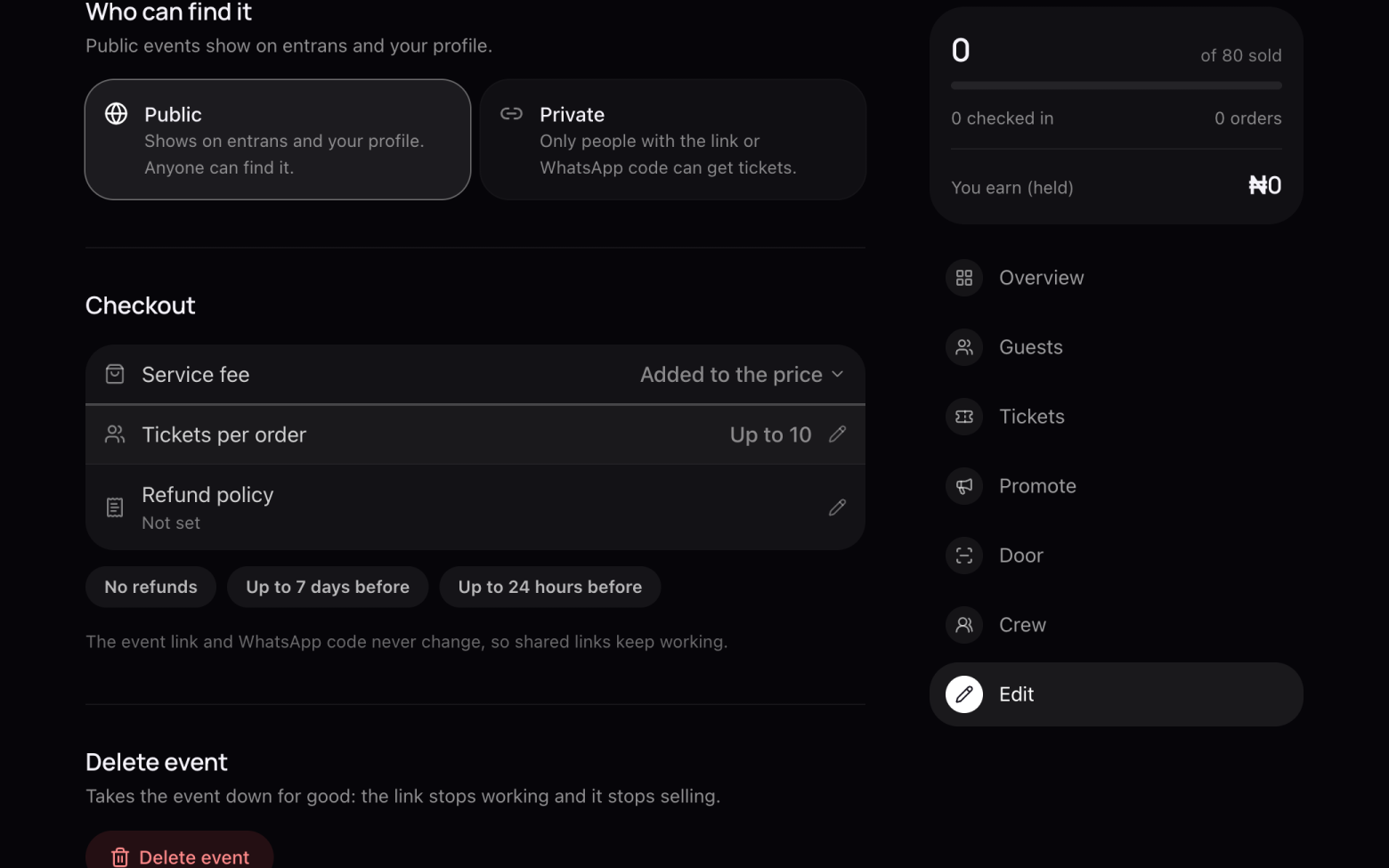
Set tickets per order
- Click Tickets per order and enter a number from 1 to 50.
- It's the most tickets one person can buy in a single order. Lower it for events where tickets go fast.
Step 4 of 4
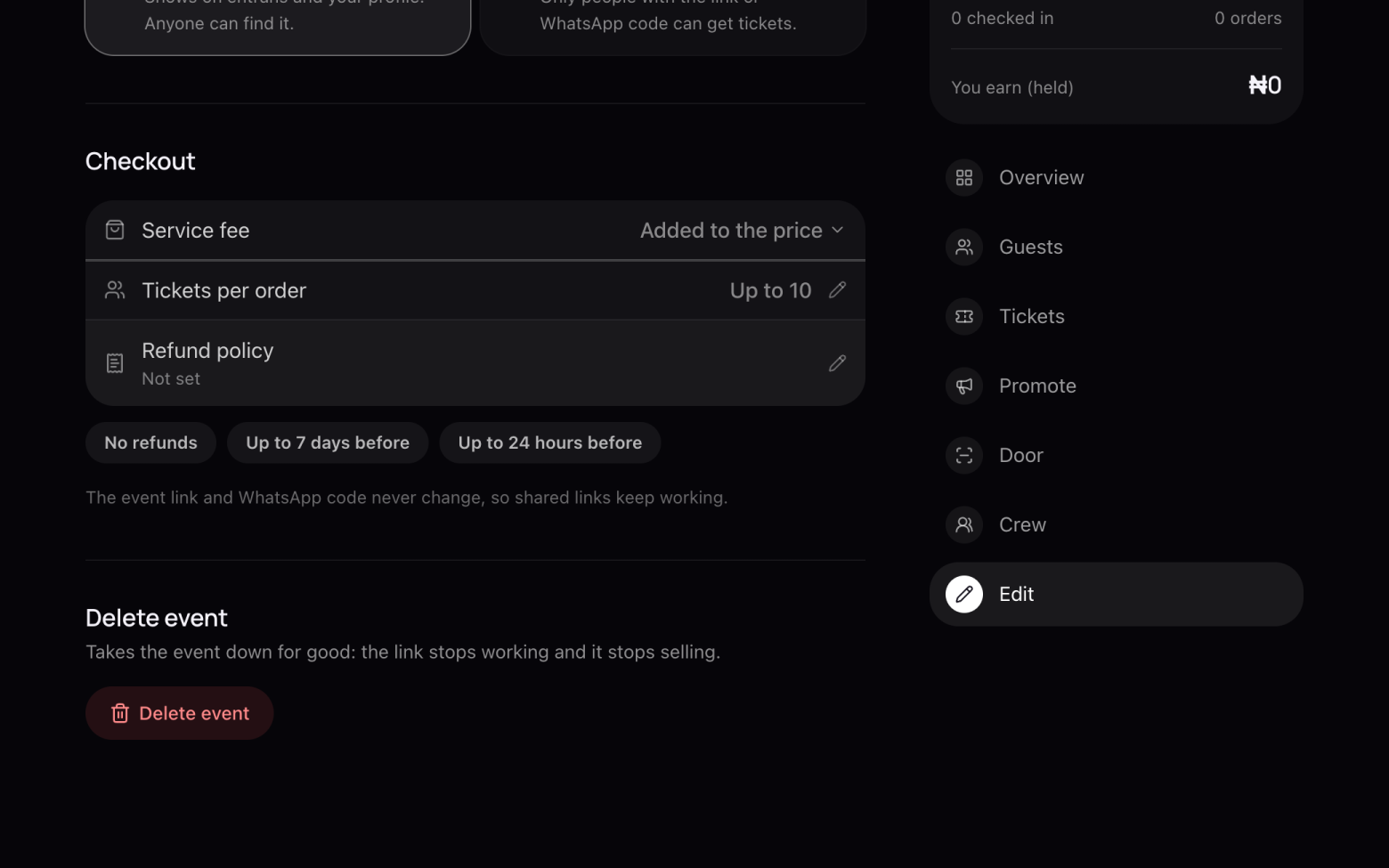
Add a refund policy
- Tap a ready-made policy: No refunds, Up to 7 days before or Up to 24 hours before.
- Or click Refund policy to write your own.
- It shows on your event page and at checkout, so buyers know before they pay.
Still stuck? Email support@entrans.app and tell us what you were trying to do.
Next guideHow to share your event