How to cancel an event
Cancelling refunds every buyer in full, including the service fee, and tells them by email. It can't be undone.
Step 1 of 2
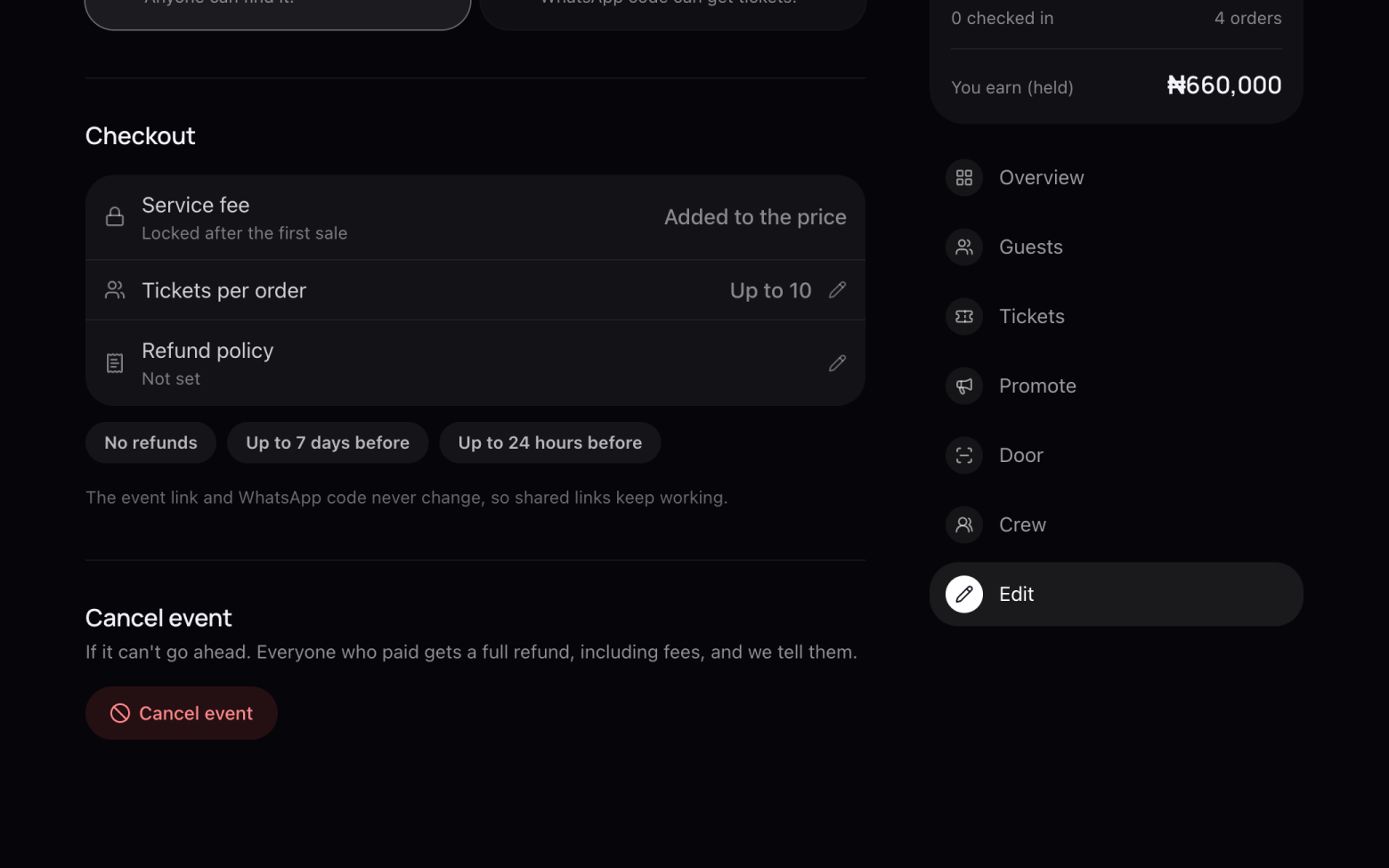
Find Cancel event
- Open your event and click Edit.
- Scroll to the bottom and click Cancel event.
Step 2 of 2
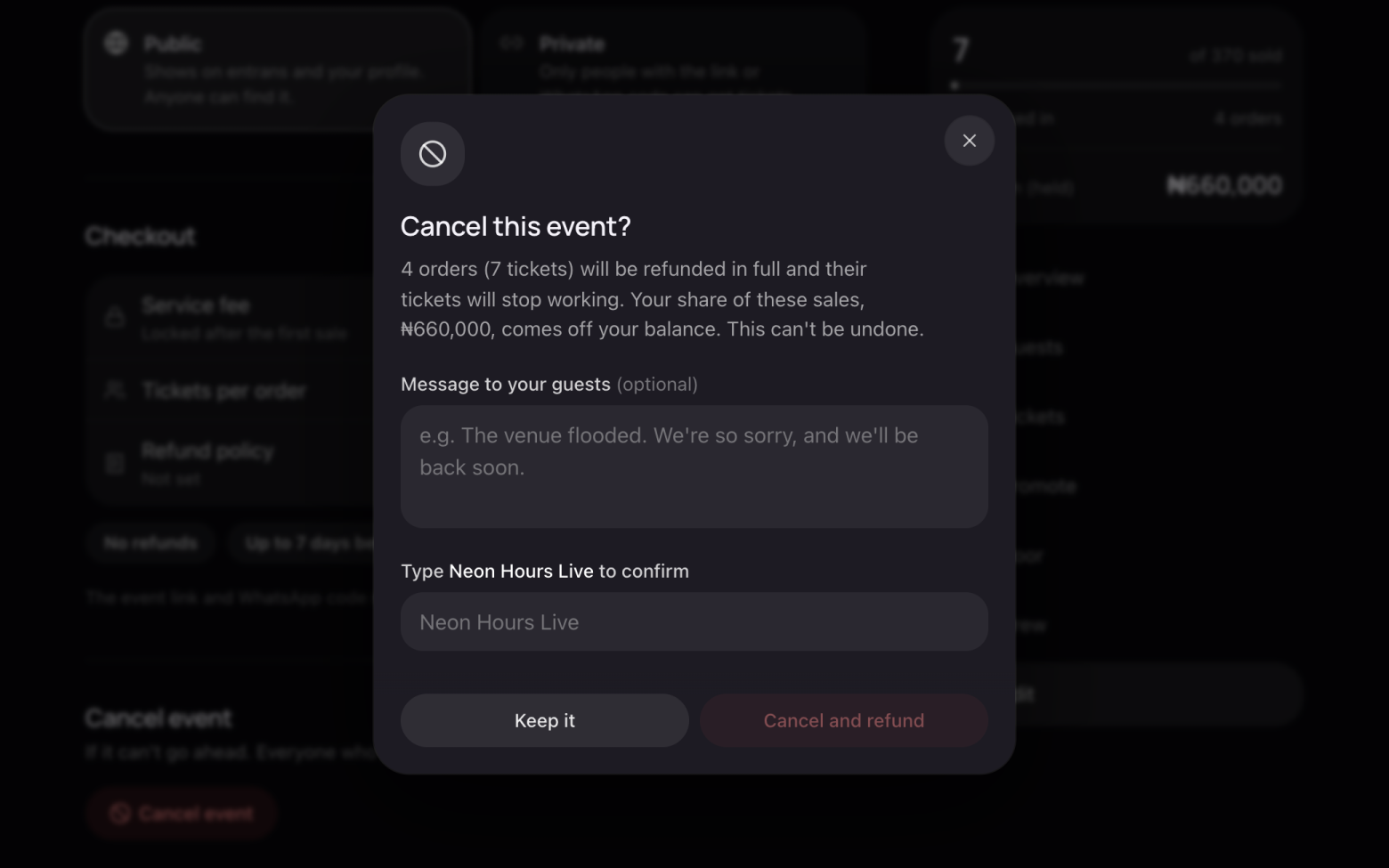
Confirm
- You see how many orders will be refunded and how much comes off your balance.
- Add a message to your guests if you like.
- Type the event's name to confirm, then click Cancel and refund.
An event with no sales yet can simply be deleted instead.
Still stuck? Email support@entrans.app and tell us what you were trying to do.
More on hosting an event
- How to create an event
- How to add and edit ticket types
- How to set the service fee, order limit and refund policy
- How to share your event
- How to update your event
- How to create a discount code
- How to scan tickets at the door
- How to add people to your crew
- How to see and export your guest list
- How to verify your identity
- How to add your bank account and withdraw