How to update your event
You can change your event's details at any time. Your link and WhatsApp code stay the same, so links you've already shared keep working.
Step 1 of 4
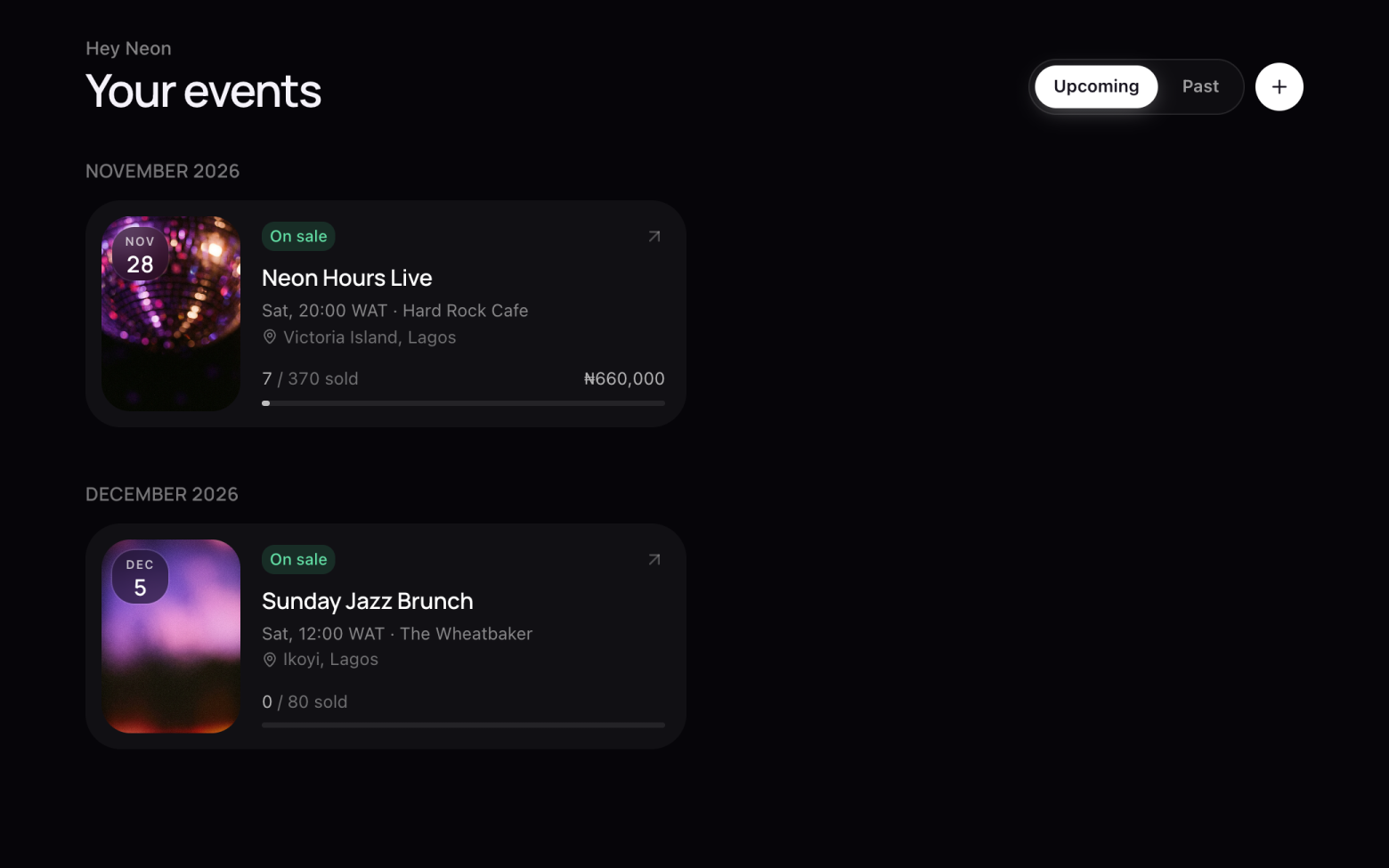
Find your event
- Click Events at the top.
- Click your event to open it.
Step 2 of 4
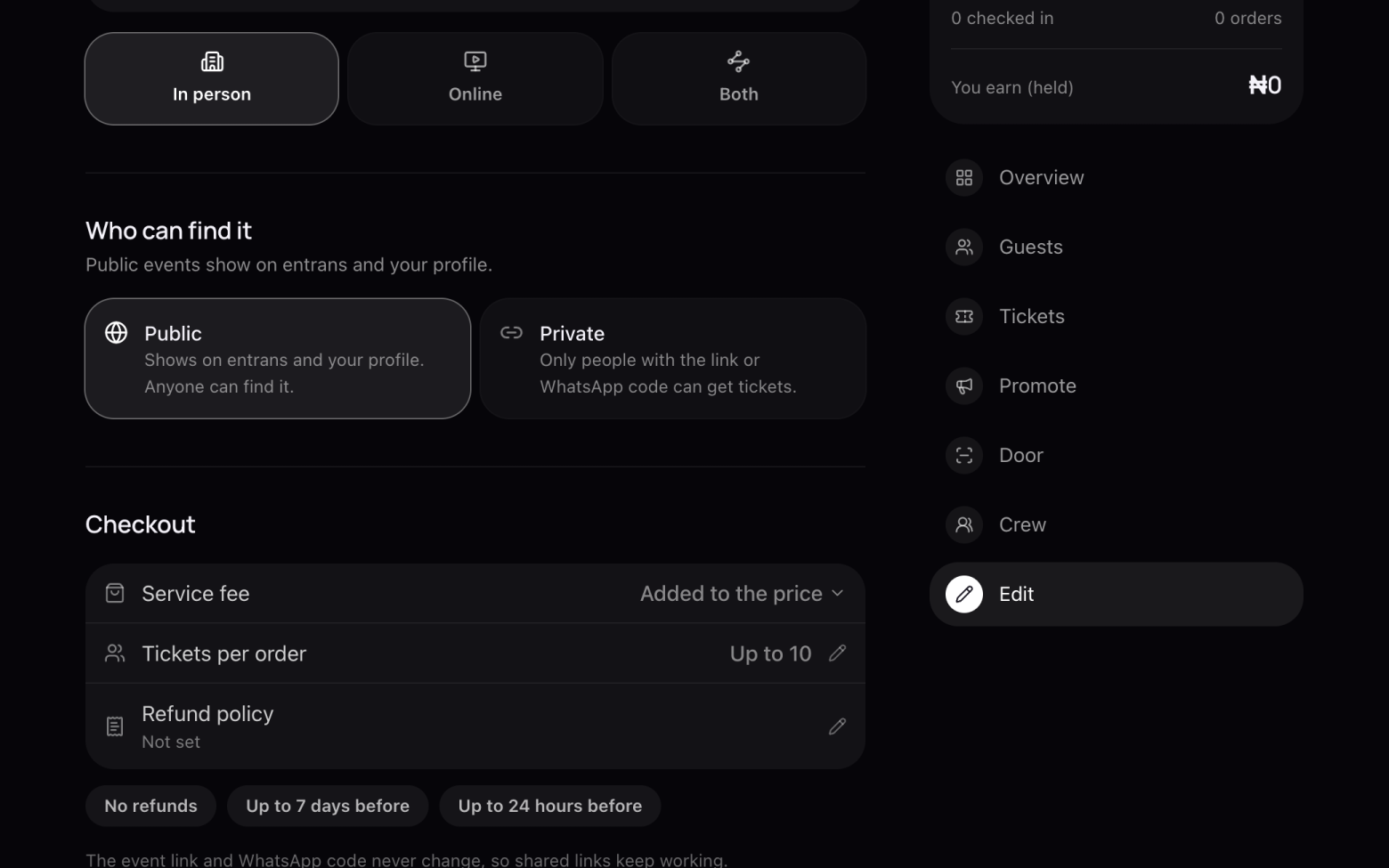
Open Edit
- Click Edit in the menu on the right.
Step 3 of 4
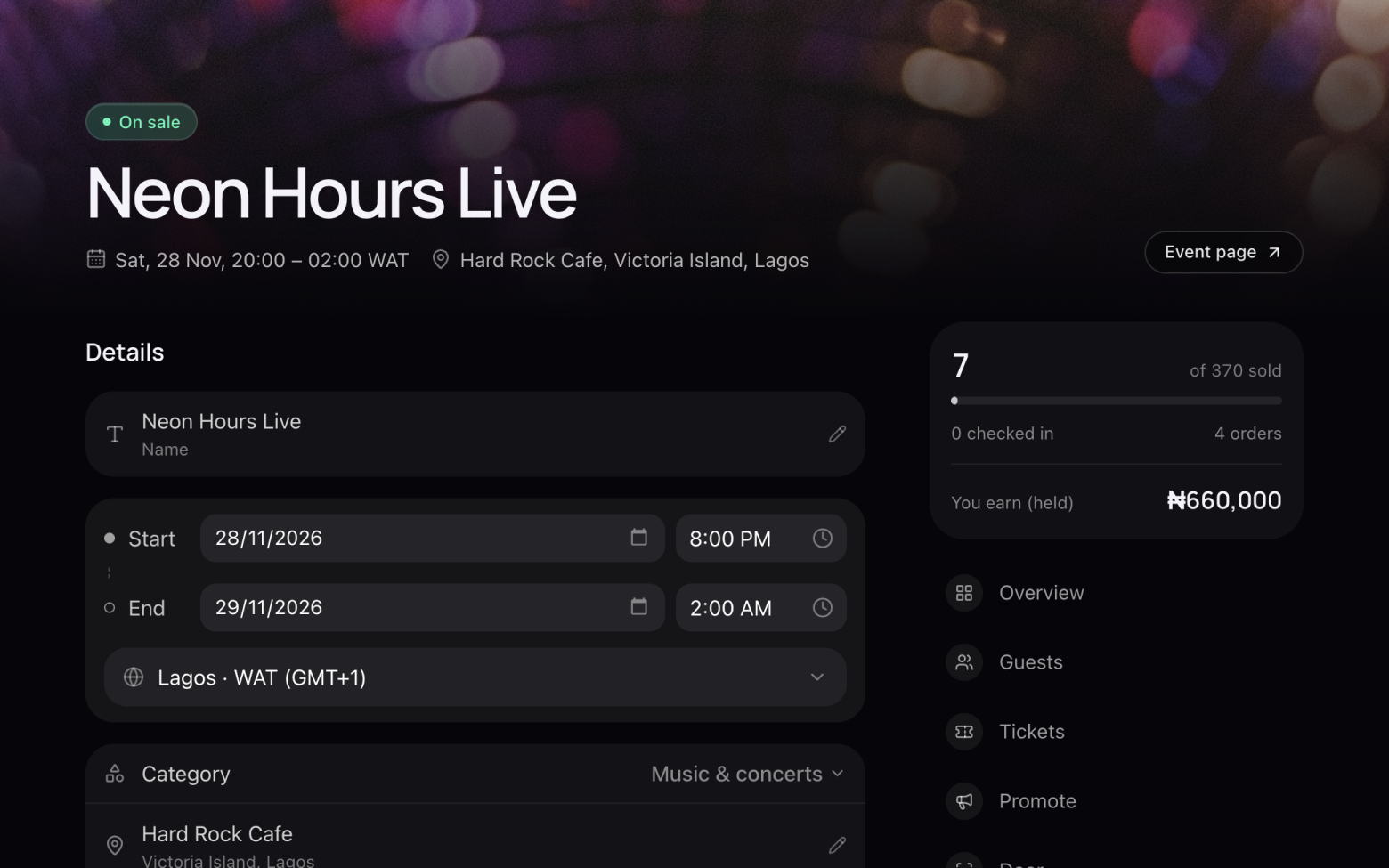
Make your changes
- Click the pencil next to the name, venue or description to change it.
- Change the date, times and time zone right where they are.
- Everything saves as you go. There's no save button to forget.
In person or online can't be changed after the first sale, and neither can who pays the service fee.
Step 4 of 4
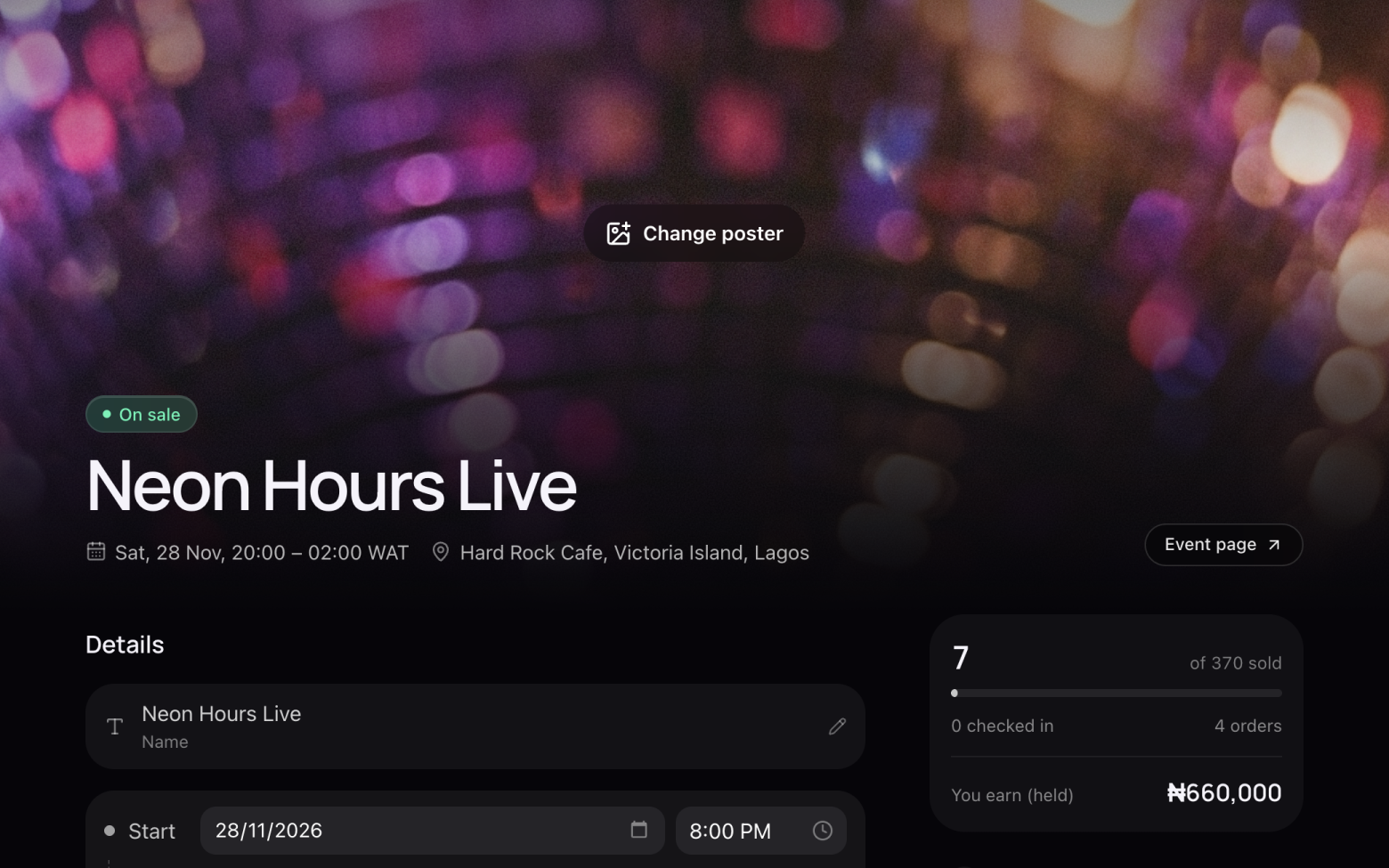
Change the poster
- Click Change poster at the top of the page and choose a new image.
Still stuck? Email support@entrans.app and tell us what you were trying to do.
Next guideHow to create a discount codeMore on hosting an event
- How to create an event
- How to add and edit ticket types
- How to set the service fee, order limit and refund policy
- How to share your event
- How to scan tickets at the door
- How to add people to your crew
- How to see and export your guest list
- How to verify your identity
- How to add your bank account and withdraw
- How to cancel an event