How to scan tickets at the door
There's no app to install. The scanner runs in the phone's browser and works on any phone with a camera.
Step 1 of 3
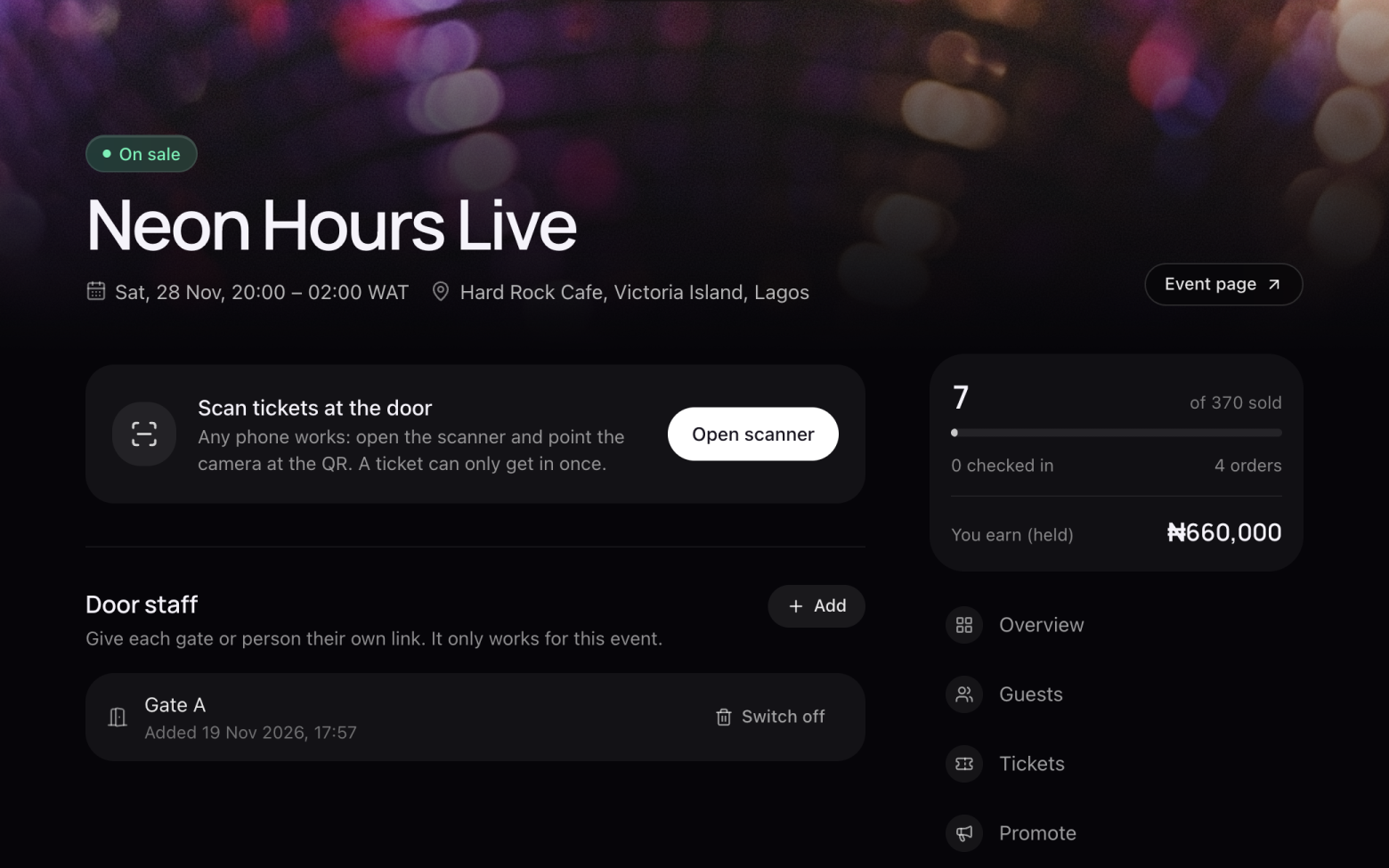
Open the scanner
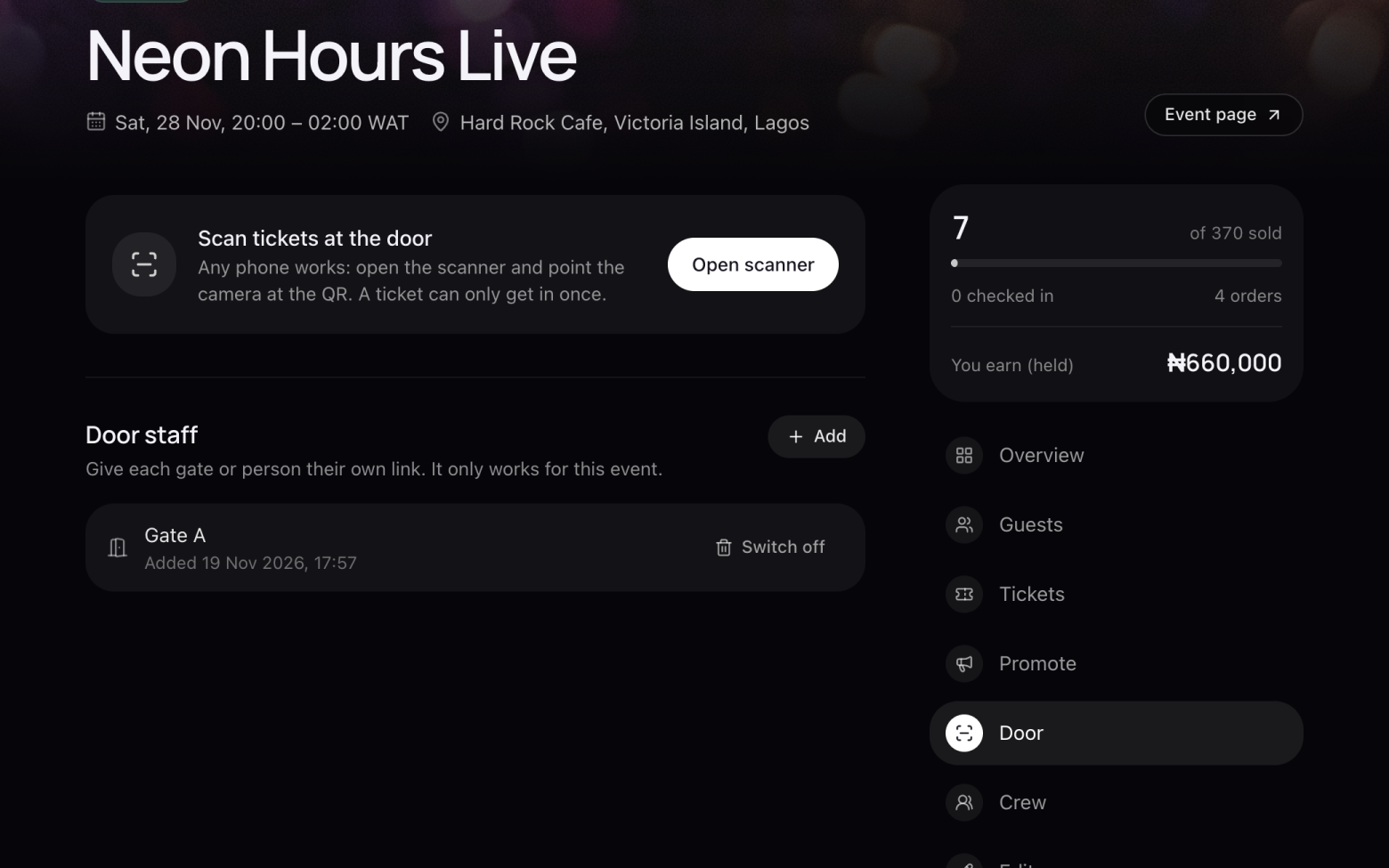
- Open your event and click Door.
- Click Open scanner and allow the camera.
Step 2 of 3
Scan each ticket
- Point the camera at the QR code on the guest's ticket.
- The scanner shows straight away whether the ticket is valid, already used or fake.
- Each ticket only works once, so a screenshot shared with a friend won't get two people in.
Step 3 of 3
Give your door staff a link
- Under Door staff, click Add and name it, for example Gate A.
- Send the link to whoever is on that gate. It opens the scanner for this event only.
- When the night is over, click Switch off and the link stops working.
Still stuck? Email support@entrans.app and tell us what you were trying to do.
Next guideHow to add people to your crewMore on hosting an event
- How to create an event
- How to add and edit ticket types
- How to set the service fee, order limit and refund policy
- How to share your event
- How to update your event
- How to create a discount code
- How to see and export your guest list
- How to verify your identity
- How to add your bank account and withdraw
- How to cancel an event