How to add and edit ticket types
You can add ticket types or change them at any time, even after sales have started.
Step 1 of 4
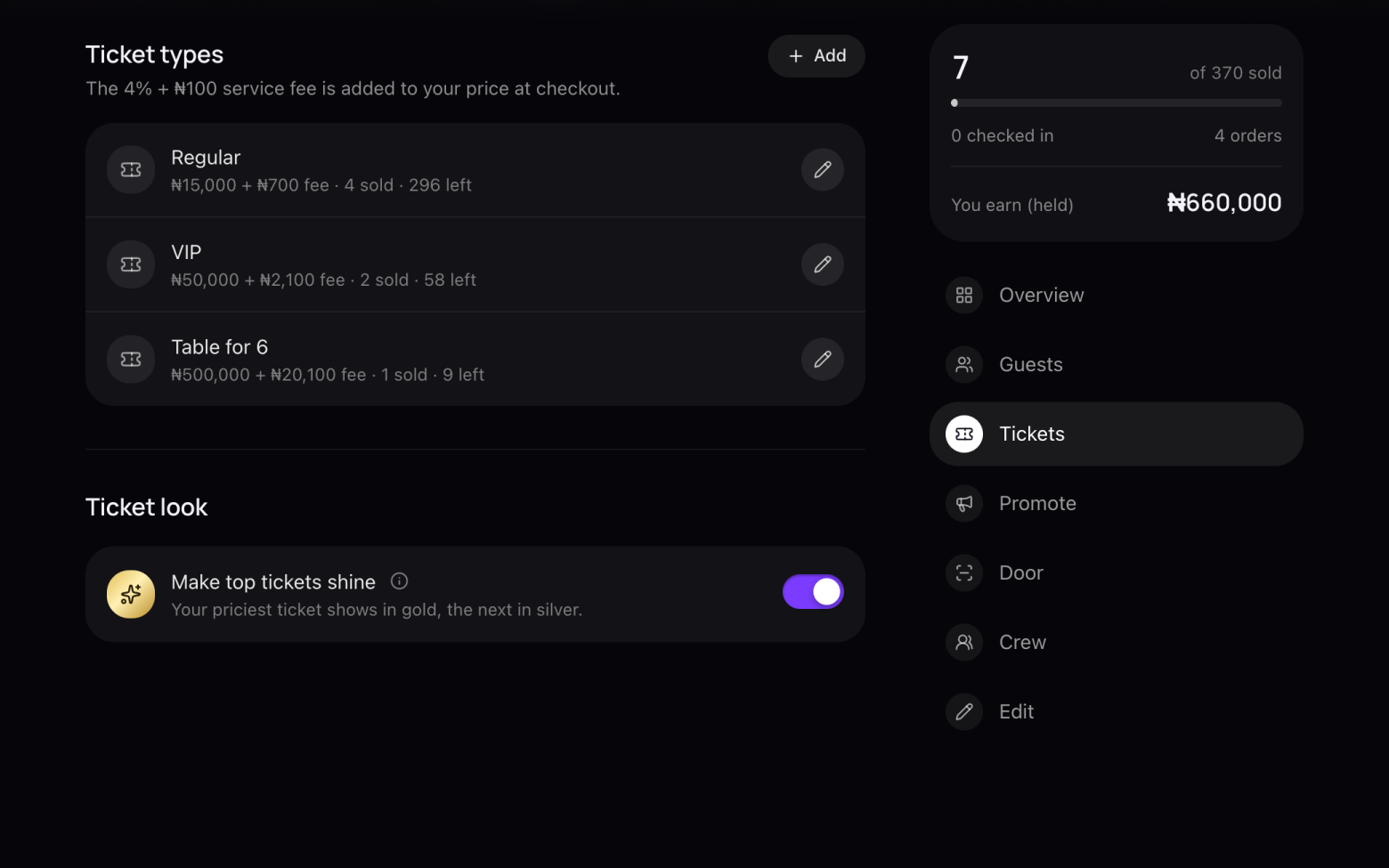
Open your event's tickets
- Click Events at the top and open your event.
- Click Tickets in the menu on the right.
Step 2 of 4
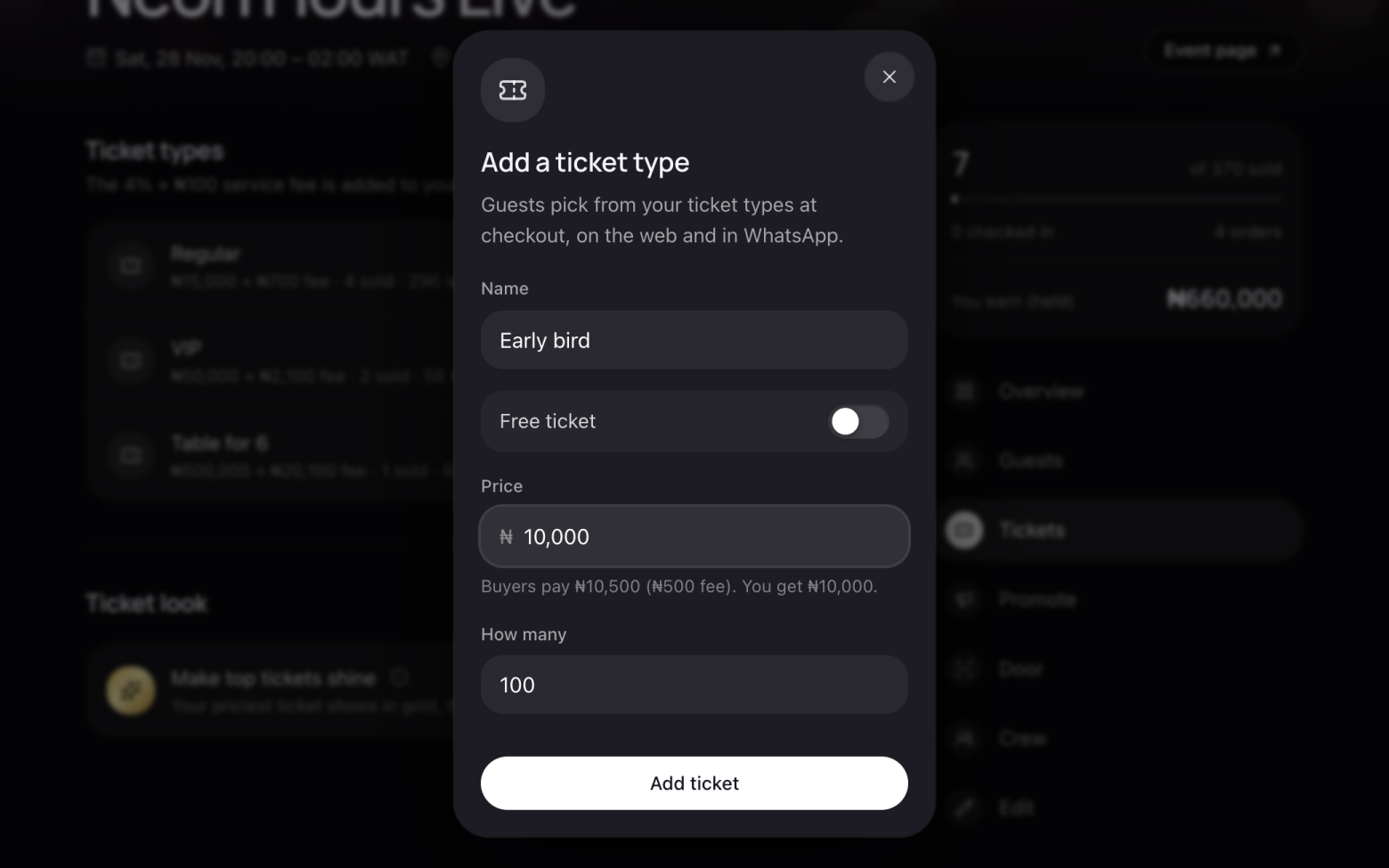
Add a ticket type
- Click Add.
- Enter a name, the price in naira and how many you're selling.
- Under the price you see what buyers pay and what you get, after the service fee.
- Click Add ticket. It's on sale straight away.
Step 3 of 4
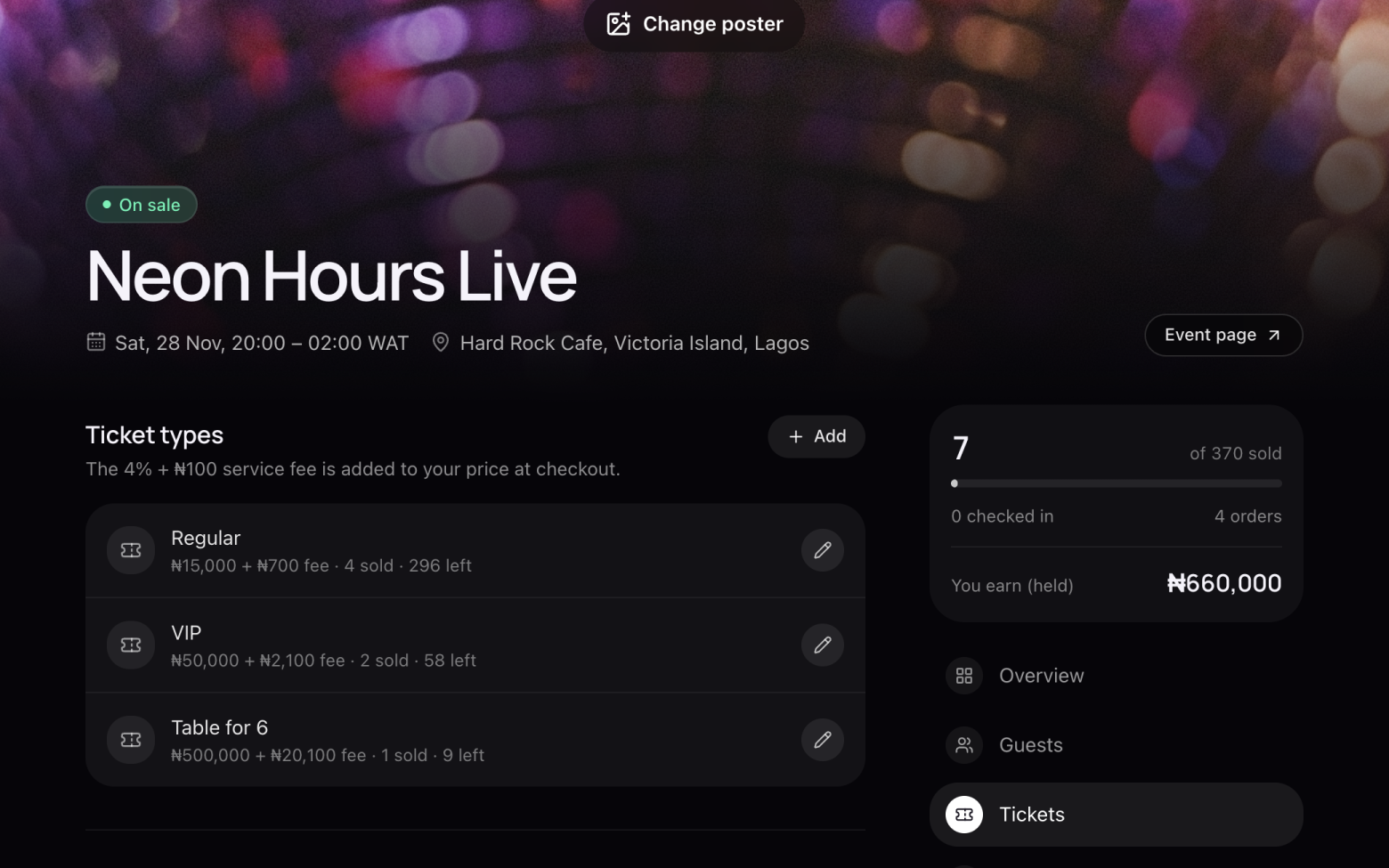
Change a ticket type
- Click the pencil next to the ticket.
- Change its name, price or how many there are, and save.
- Tickets that have already sold keep the price they were bought at.
Step 4 of 4
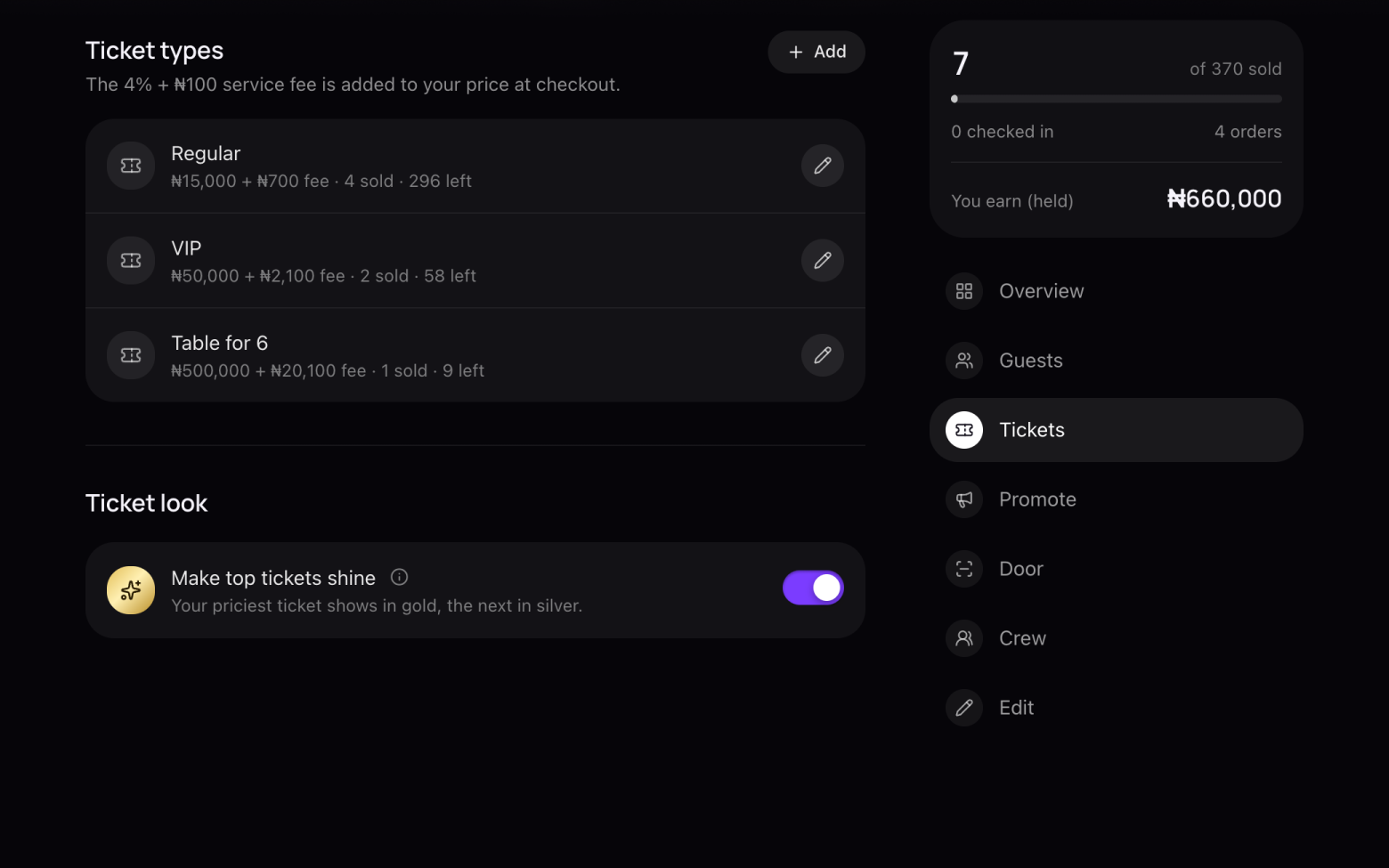
Make your top tickets shine
- Turn on Make top tickets shine.
- Your priciest ticket shows in gold and the next one in silver, on your event page and at checkout.
Still stuck? Email support@entrans.app and tell us what you were trying to do.
Next guideHow to set the service fee, order limit and refund policy