How to add people to your crew
Your crew sign in with their own email and only see what you allow. Money, payouts and the crew list always stay with you.
Step 1 of 3
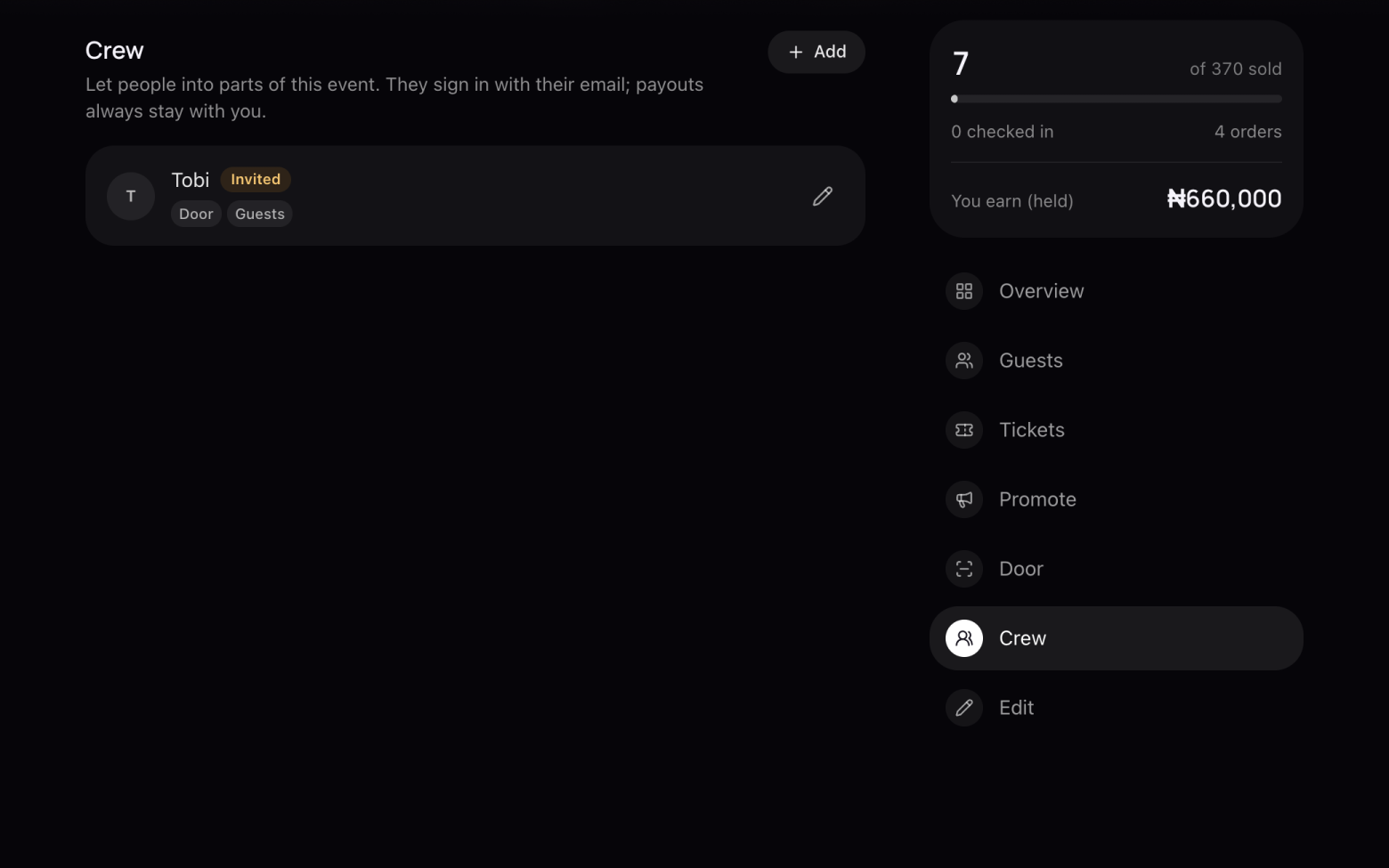
Open Crew
- Open your event and click Crew. Only you, the owner, see this.
Step 2 of 3
Invite them
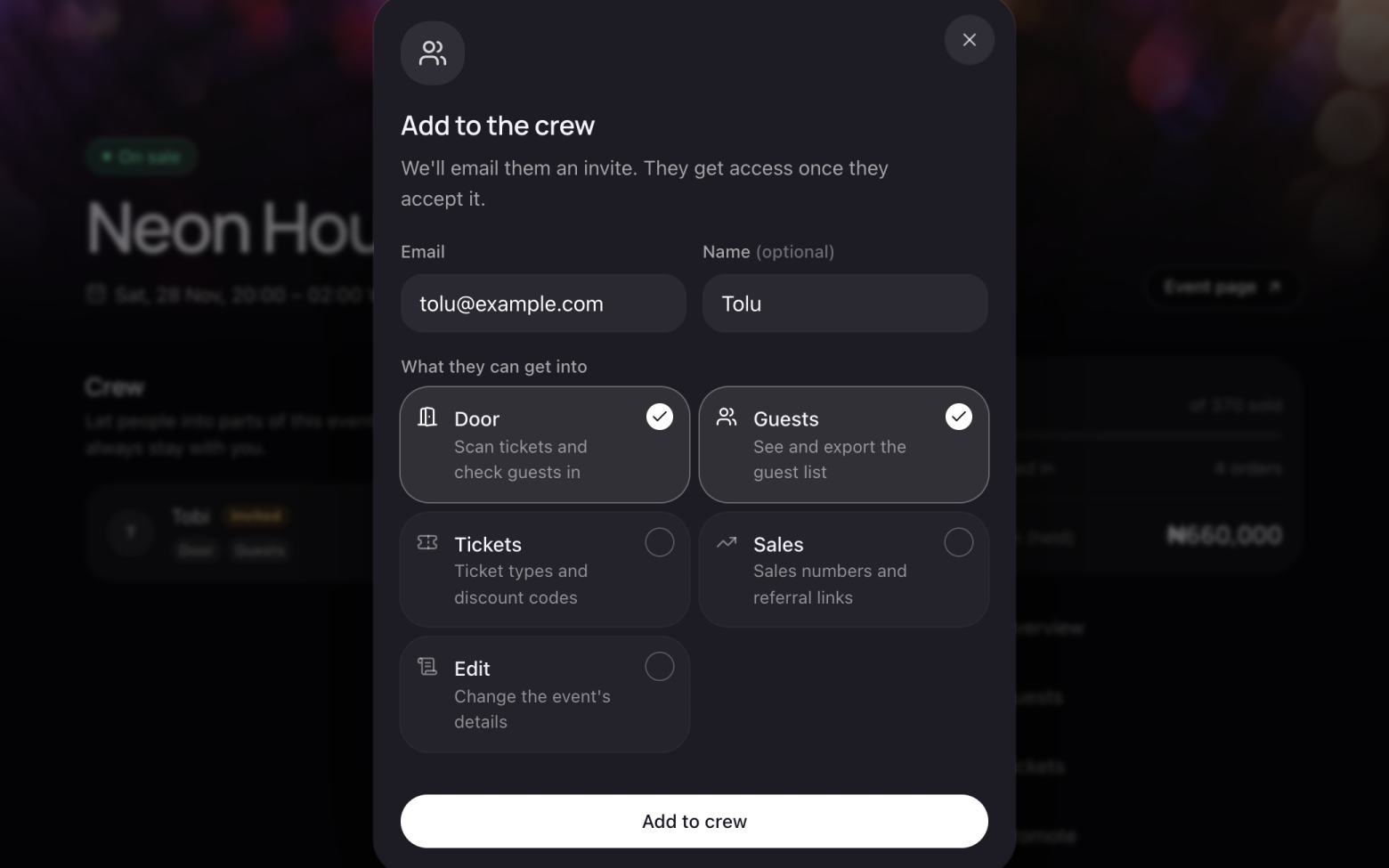
- Click Add.
- Enter their email, and their name if you like.
- Choose what they can get into: Door, Guests, Tickets, Sales or Edit.
- Click Add to crew. We email them an invite.
Step 3 of 3
They accept
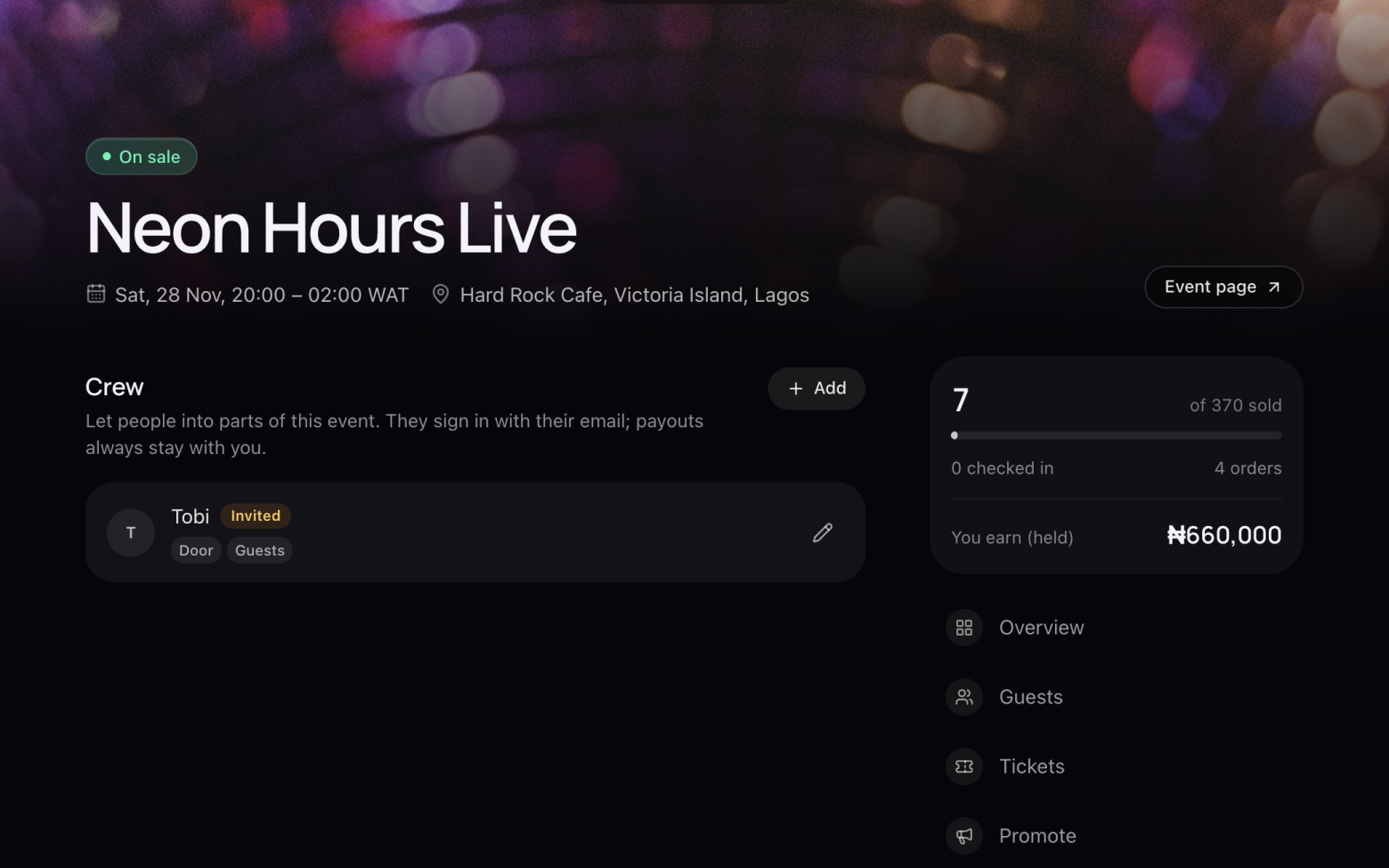
- They open the email and click Accept. If they're new to entrans, they sign in with that email first.
- Until they accept, they show as Invited. Click the pencil to change what they can do, or to remove them.
Still stuck? Email support@entrans.app and tell us what you were trying to do.
Next guideHow to see and export your guest listMore on hosting an event
- How to create an event
- How to add and edit ticket types
- How to set the service fee, order limit and refund policy
- How to share your event
- How to update your event
- How to create a discount code
- How to scan tickets at the door
- How to verify your identity
- How to add your bank account and withdraw
- How to cancel an event