How to create a discount code
A discount code takes a percentage or an amount off. Buyers enter it at checkout, on the website or in WhatsApp.
Step 1 of 3
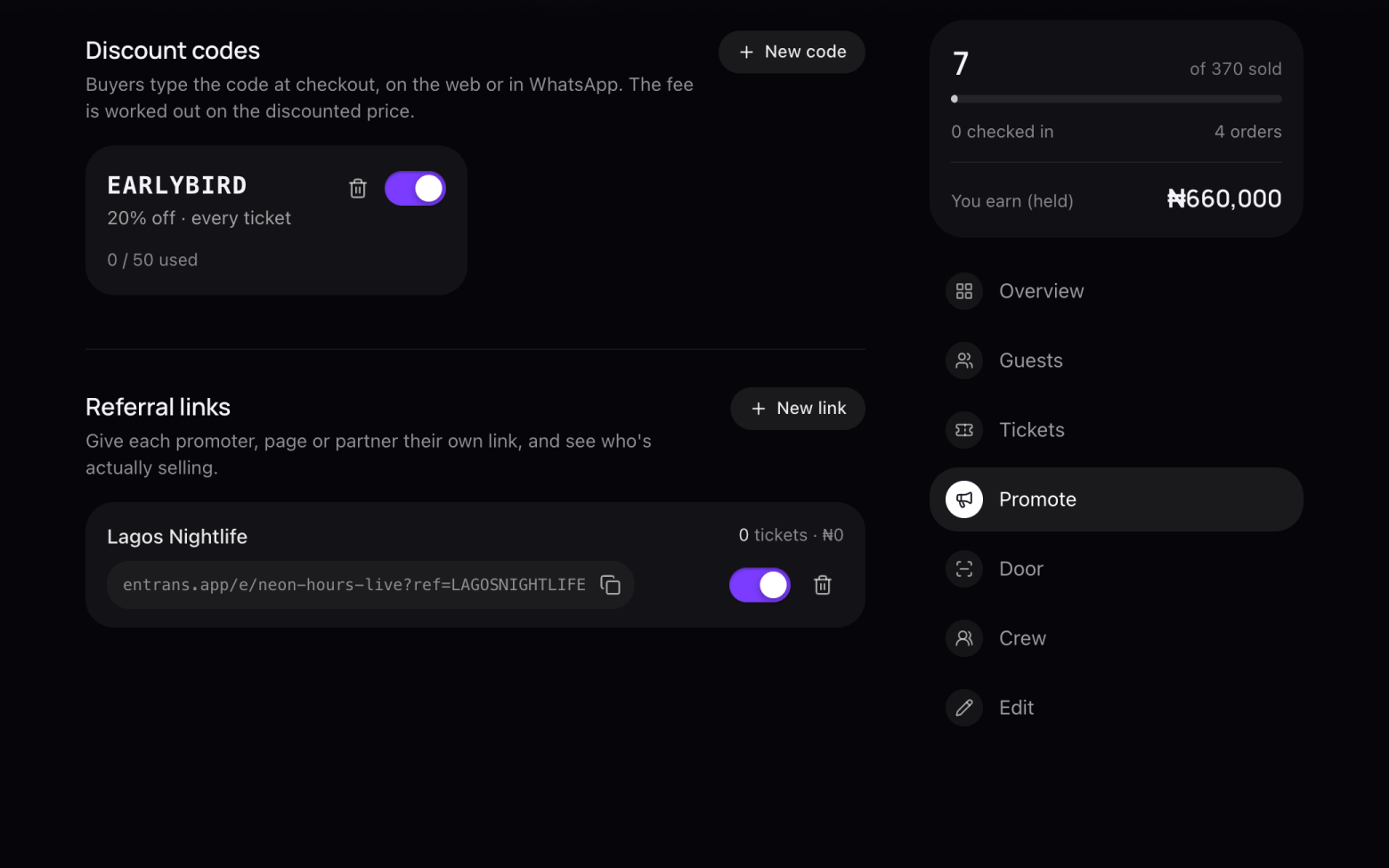
Open Promote
- Open your event and click Promote in the menu on the right.
Step 2 of 3
Make the code
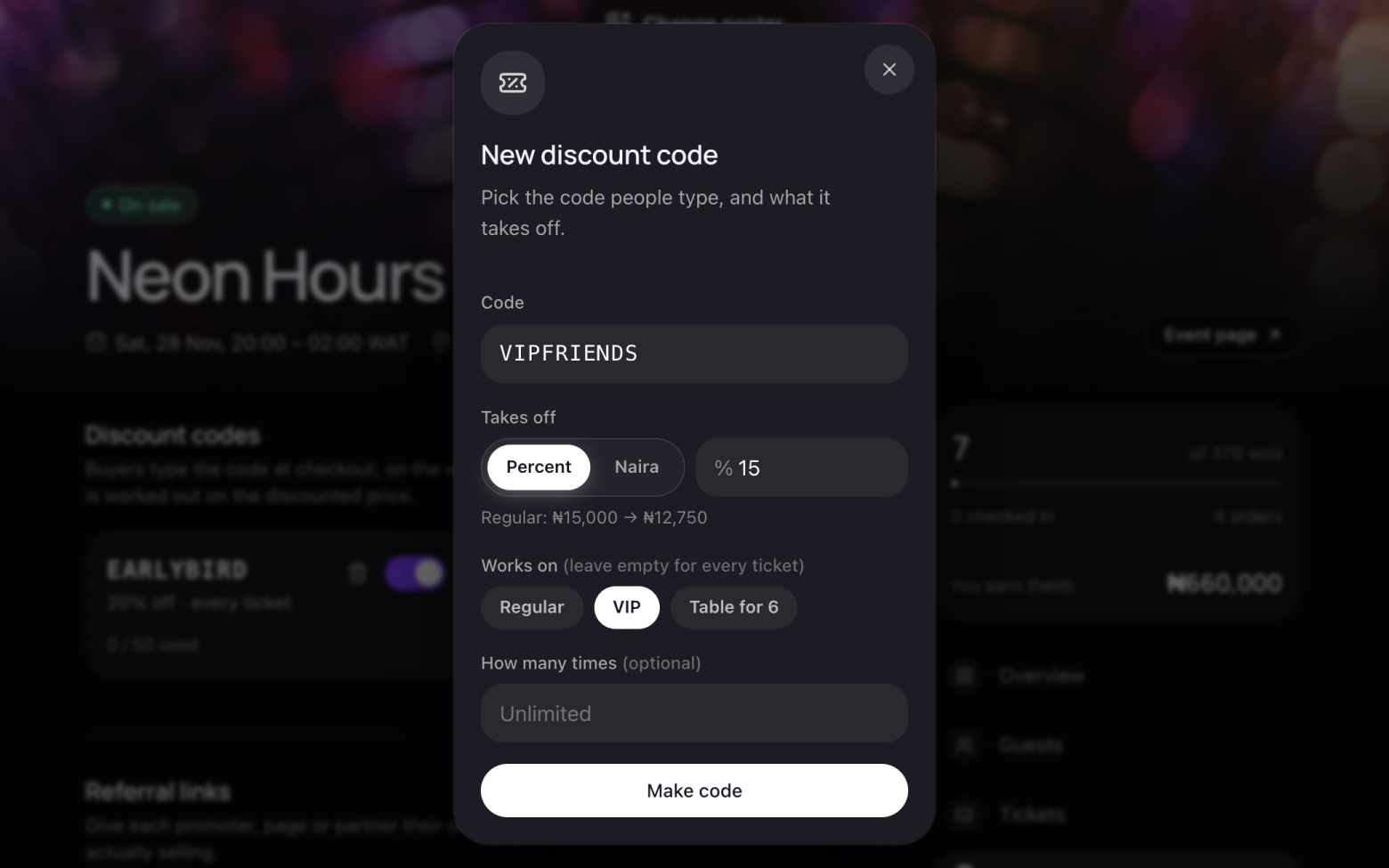
- Click New code.
- Type the code people will enter, like EARLYBIRD.
- Choose Percent or Naira, and how much it takes off. You see the new price straight away.
- Under Works on, pick the tickets it applies to, or leave it empty for every ticket.
- Set How many times it can be used, or leave it unlimited. Then click Make code.
Step 3 of 3
Keep an eye on it
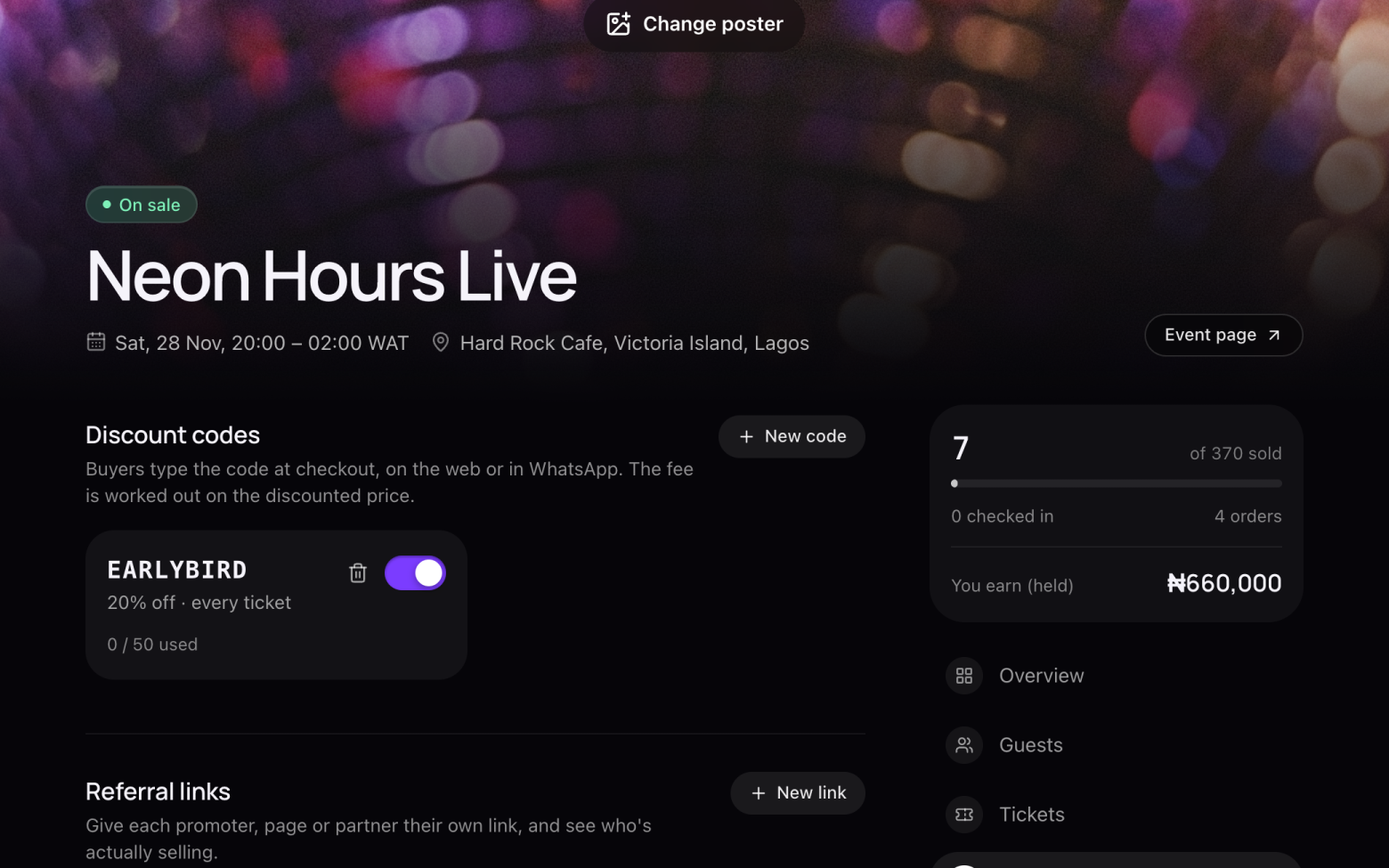
- Each code shows how many times it's been used.
- Use the switch to turn a code off, or the bin to delete it.
The service fee is worked out on the discounted price, so buyers never pay a fee on money they didn't spend.
Still stuck? Email support@entrans.app and tell us what you were trying to do.
Next guideHow to scan tickets at the doorMore on hosting an event
- How to create an event
- How to add and edit ticket types
- How to set the service fee, order limit and refund policy
- How to share your event
- How to update your event
- How to add people to your crew
- How to see and export your guest list
- How to verify your identity
- How to add your bank account and withdraw
- How to cancel an event