How to share your event
Every event gets its own link and a short WhatsApp code. Neither ever changes, so you can print them on flyers.
Step 1 of 4
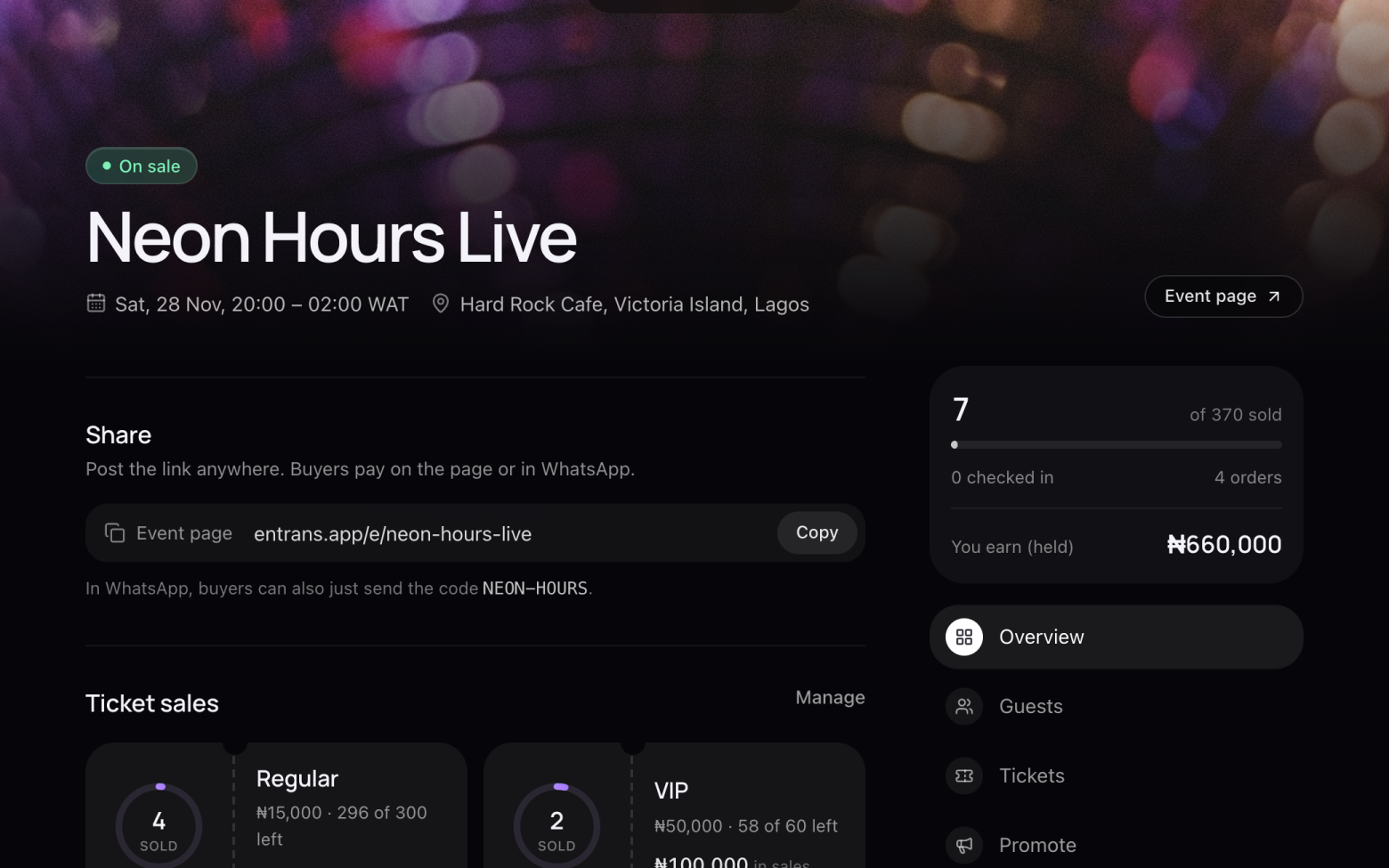
Copy your link
- Open your event. Under Share, click Copy.
- Post it anywhere: your Instagram bio, WhatsApp status, X, a group chat.
Step 2 of 4
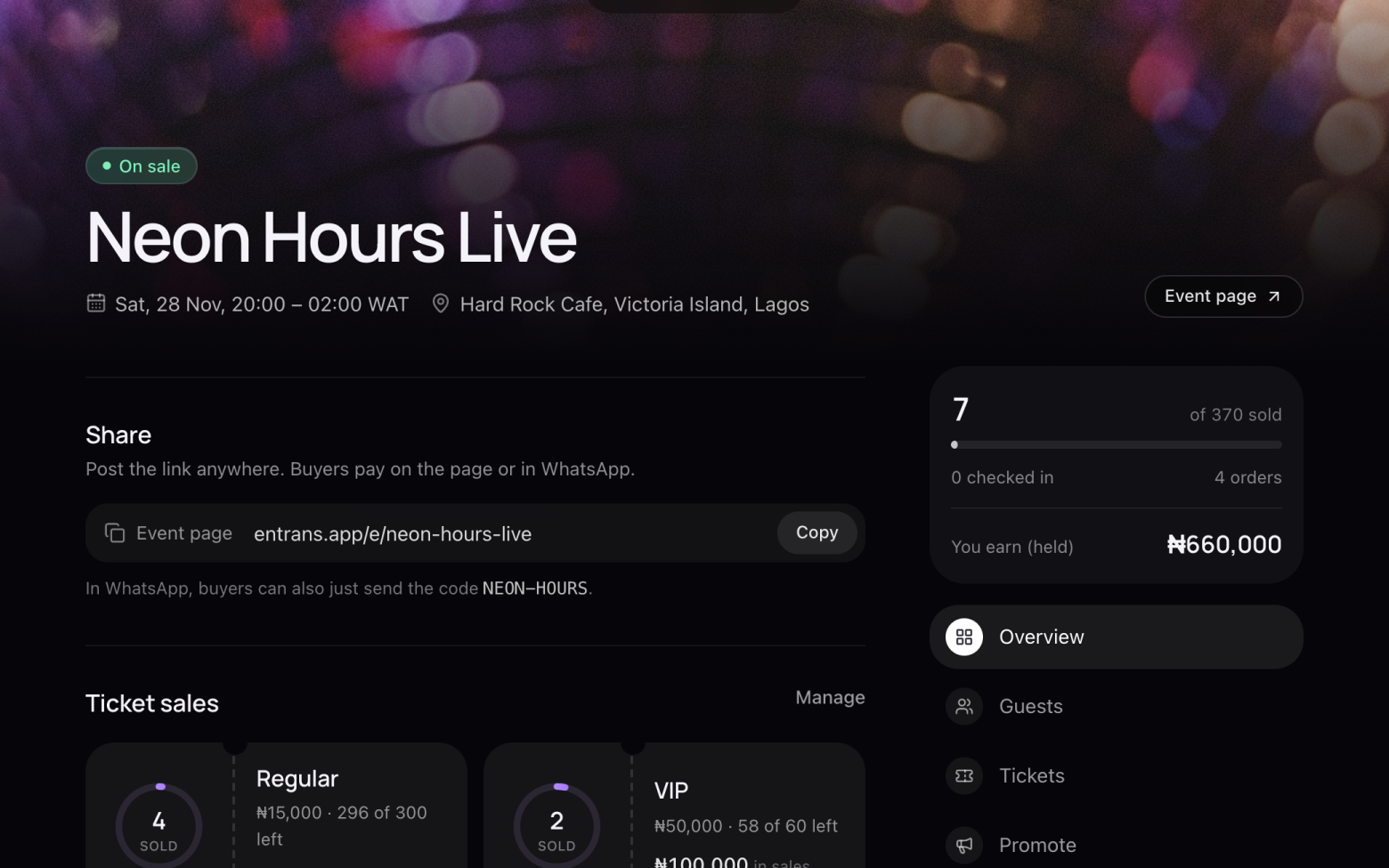
Share the WhatsApp code
- Under your link is your event's code.
- Anyone who sends that code to entrans on WhatsApp can buy tickets right there in the chat.
Step 3 of 4
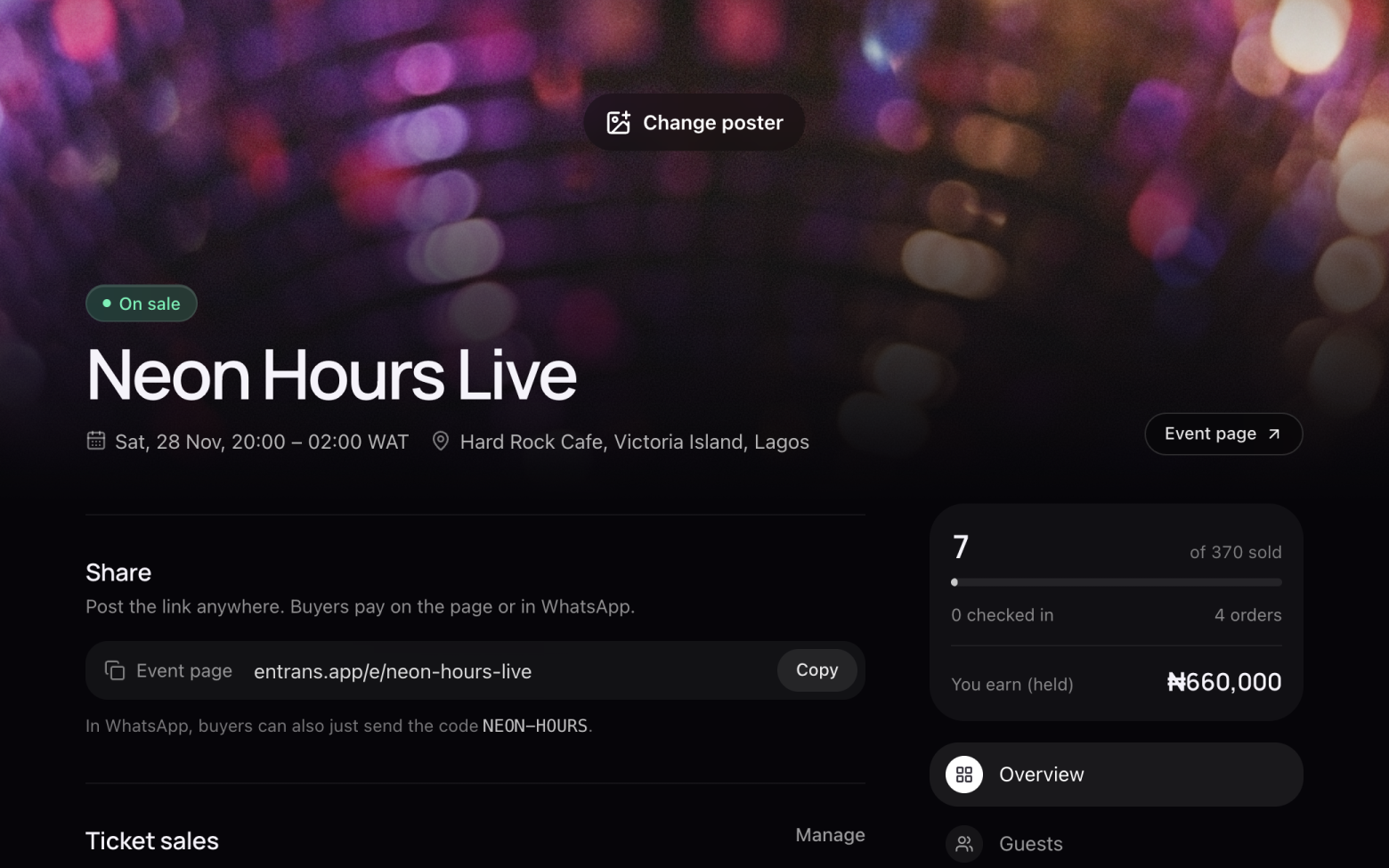
See what buyers see
- Click Event page to open your event the way buyers see it.
- On a phone, Share event on that page opens your phone's share menu.
Step 4 of 4
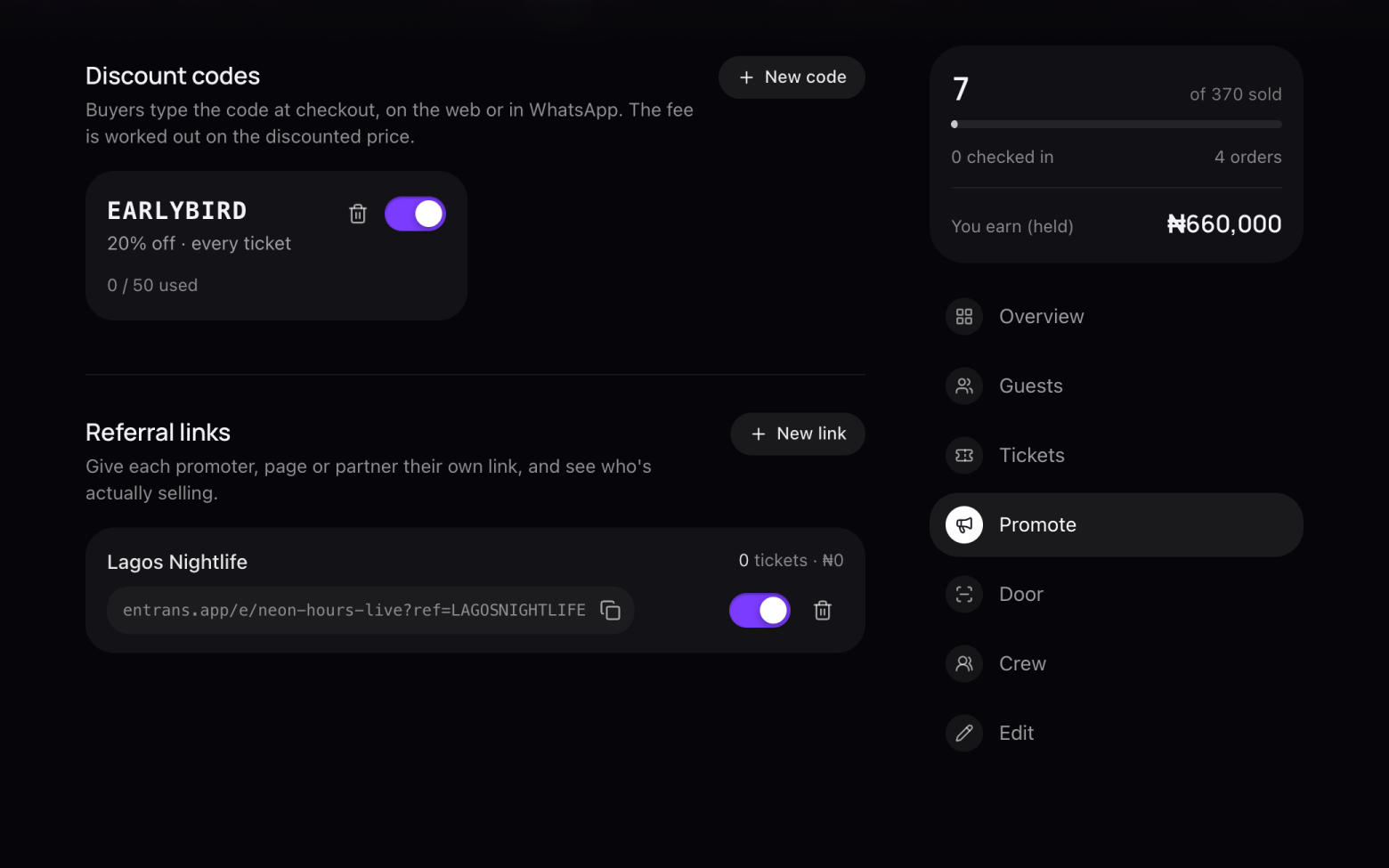
Give promoters their own link (optional)
- Click Promote, then New link under Referral links.
- Make one for each promoter, page or partner. Sales through each link are counted, so you see who's really selling.
Still stuck? Email support@entrans.app and tell us what you were trying to do.
Next guideHow to update your eventMore on hosting an event
- How to create an event
- How to add and edit ticket types
- How to set the service fee, order limit and refund policy
- How to create a discount code
- How to scan tickets at the door
- How to add people to your crew
- How to see and export your guest list
- How to verify your identity
- How to add your bank account and withdraw
- How to cancel an event