How to find, save and use your tickets
Every ticket has its own page with its own QR code. You'll find them in the email we sent, and on the page you landed on after paying.
Step 1 of 3
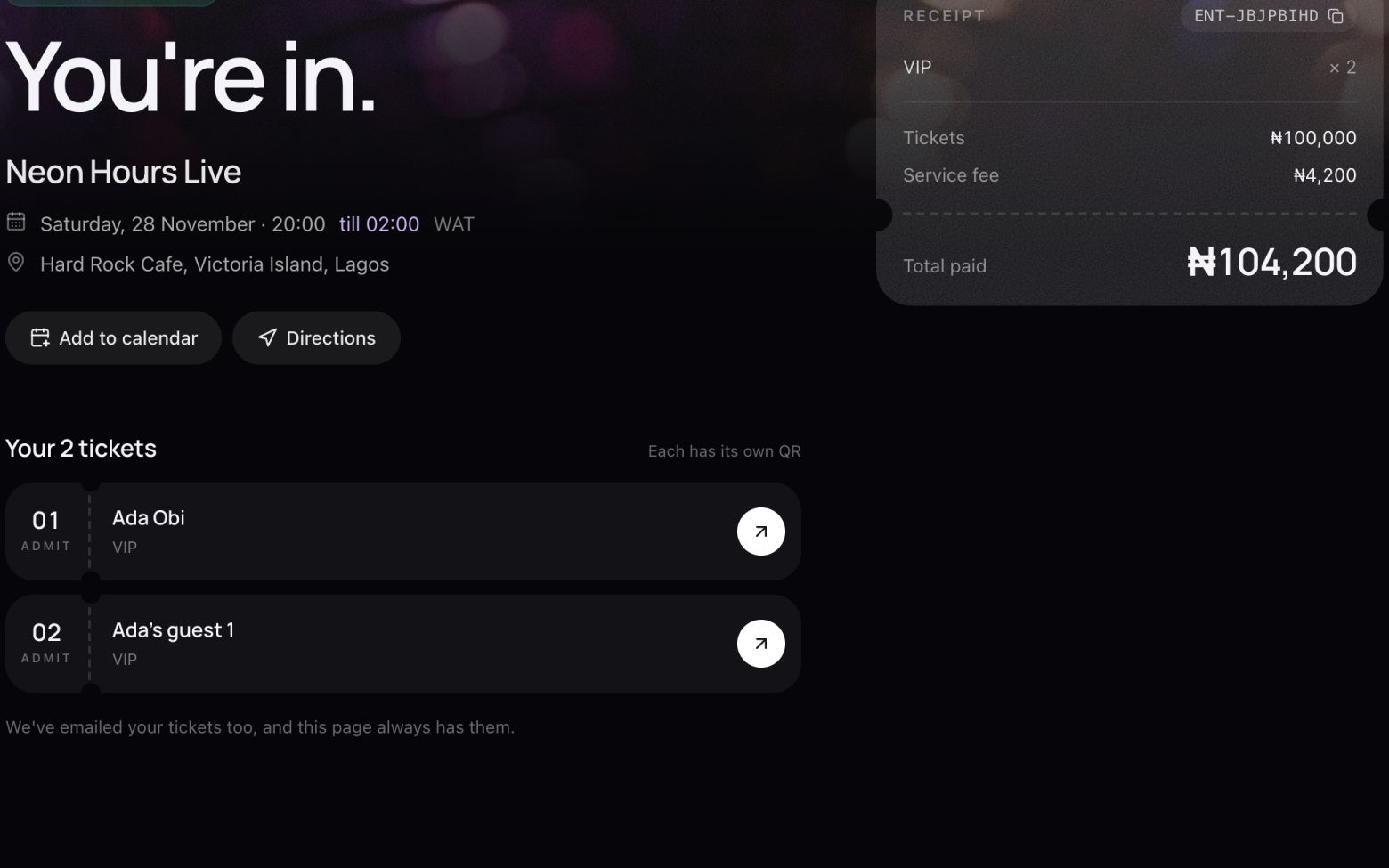
Open a ticket
- Open the email we sent you, or the page you landed on after paying.
- Each ticket has its own row. Click the arrow to open it.
- Bought for friends? Open their ticket and send them its link.
Step 2 of 3
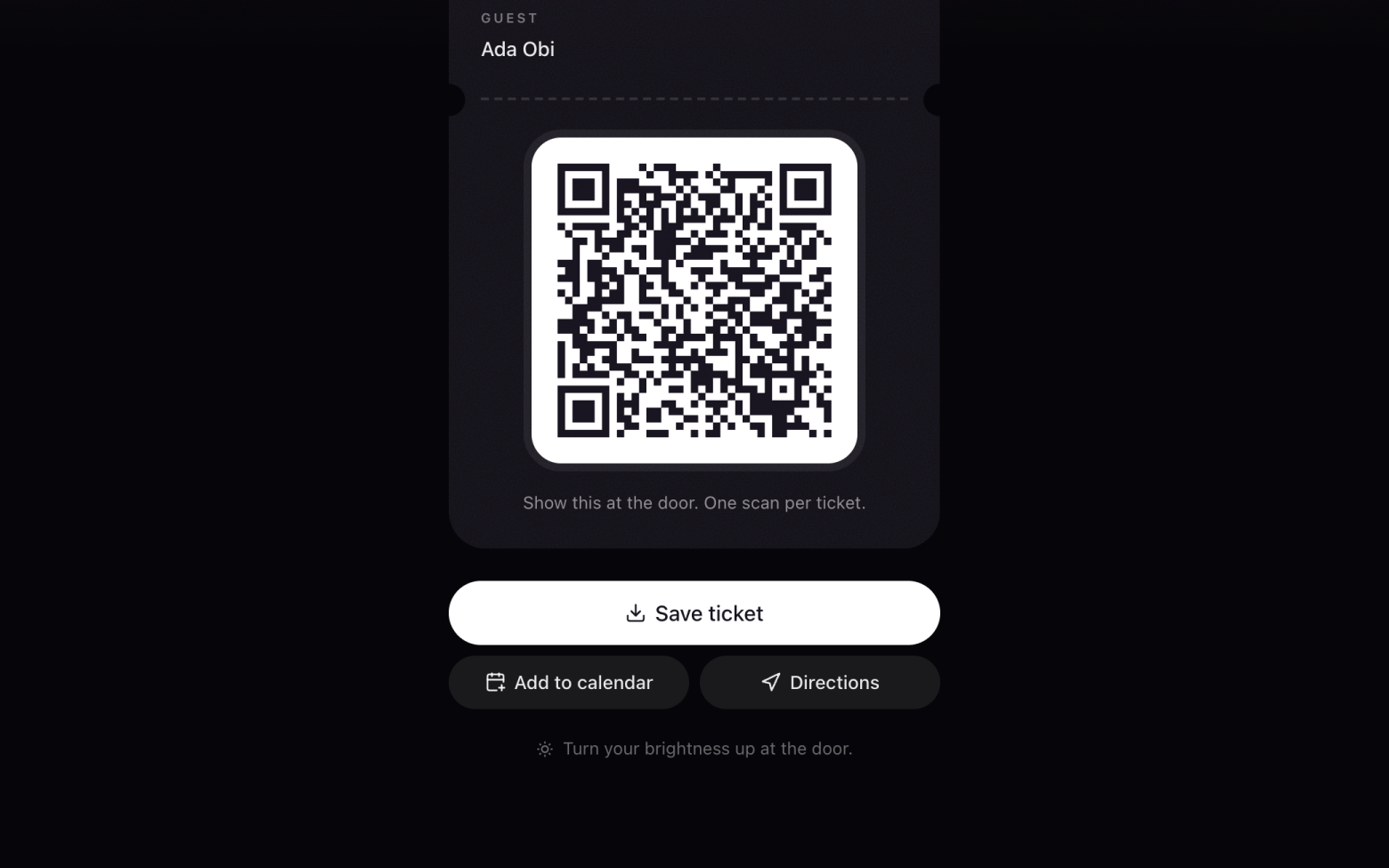
Save it
- Click Save ticket to keep a copy on your phone, in case you're offline at the venue.
- Add to calendar sets a reminder. Directions opens the venue in your maps.
Step 3 of 3
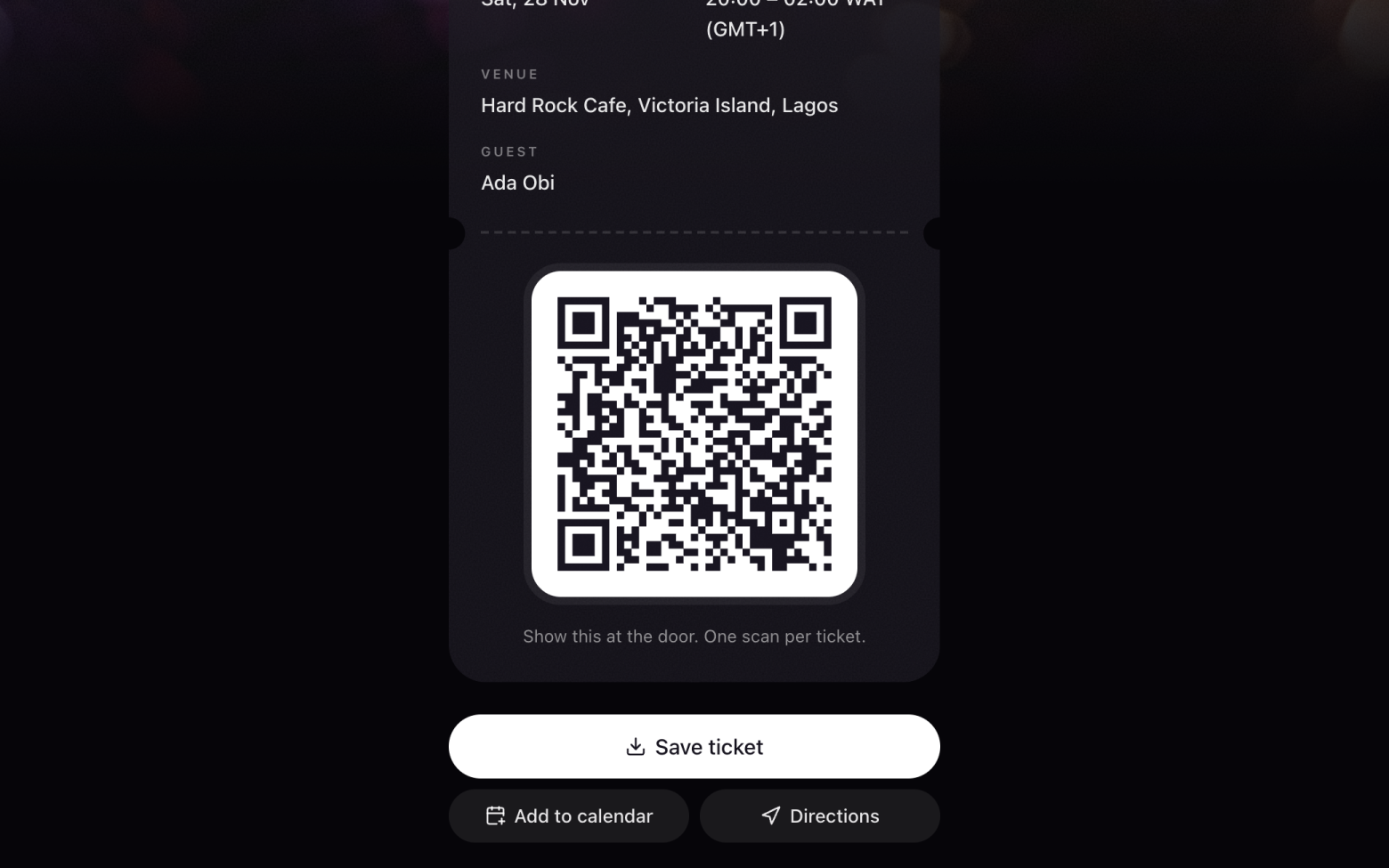
At the door
- Open your ticket and turn your screen brightness up.
- Show the QR code. It's scanned once and you're in.
Still stuck? Email support@entrans.app and tell us what you were trying to do.
Next guideHow to buy tickets on WhatsApp