How to buy tickets
You don't need an app or an account. You pay on the event page and your tickets show up straight away.
Step 1 of 5
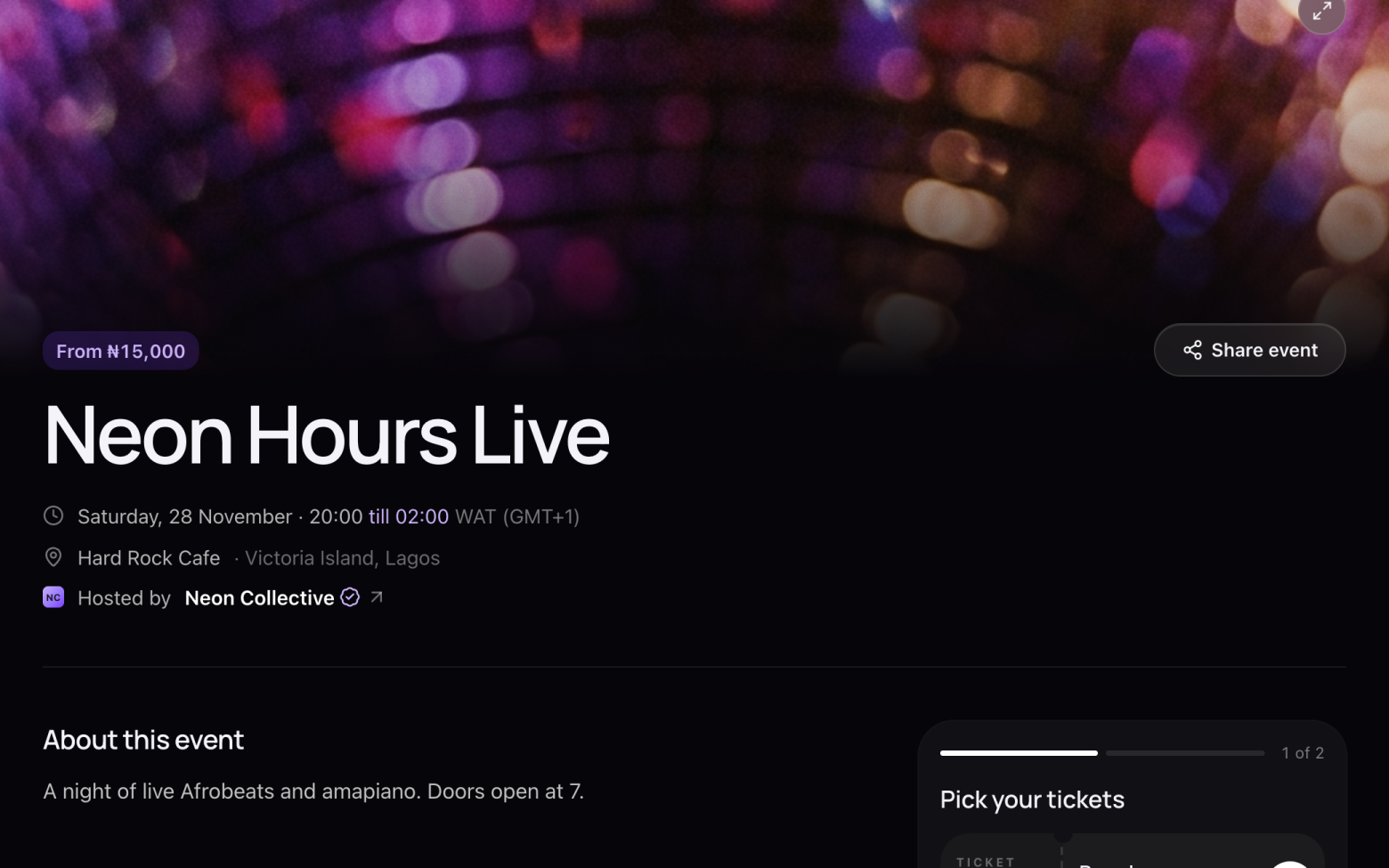
Open the event
- Open the link you were sent, or find the event under Events on entrans.app.
- The date, time and venue are at the top.
Step 2 of 5
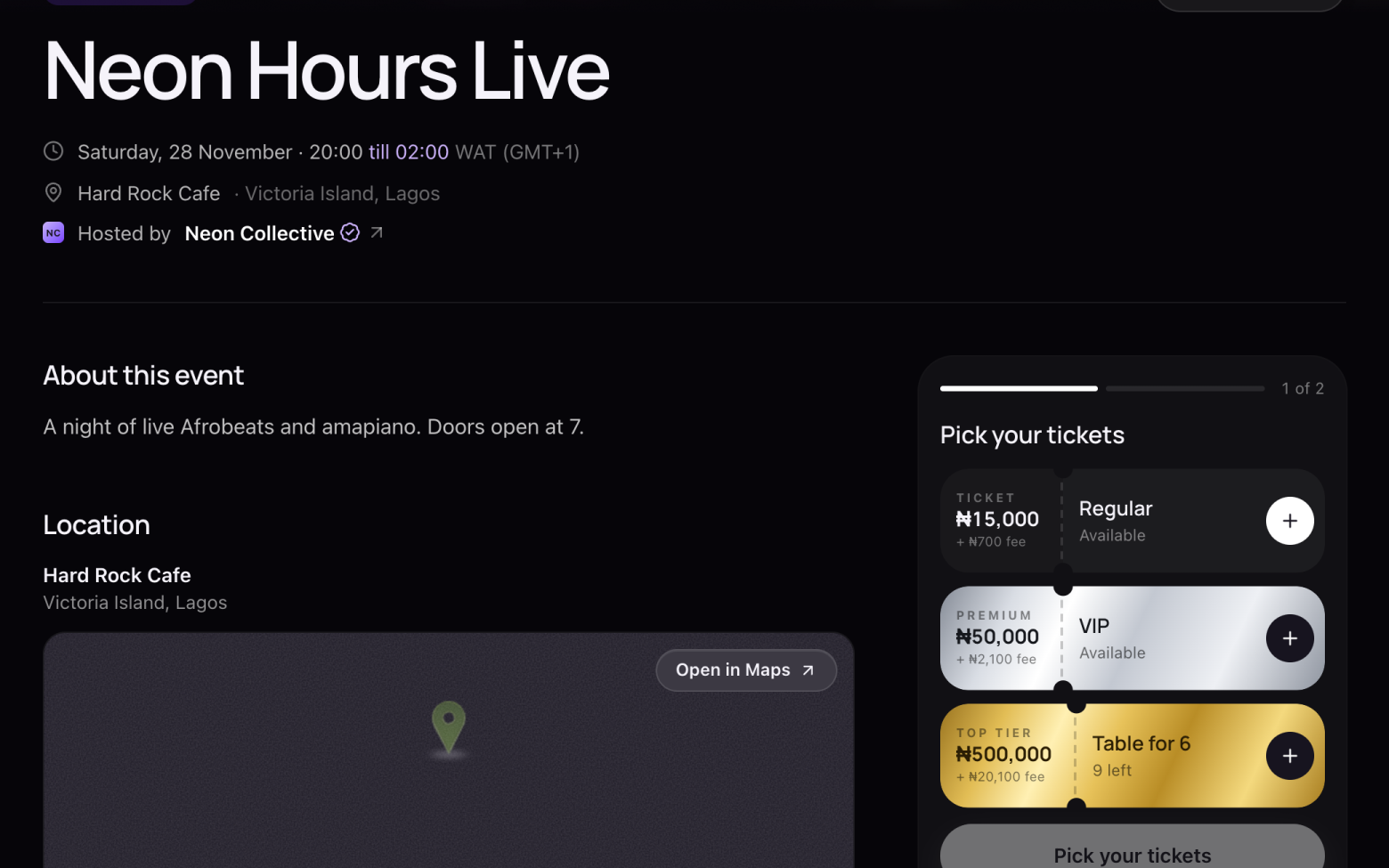
Pick your tickets
- Under Pick your tickets, click + on the ticket you want. Click it again for more.
- Each ticket shows its price and the small service fee.
Step 3 of 5
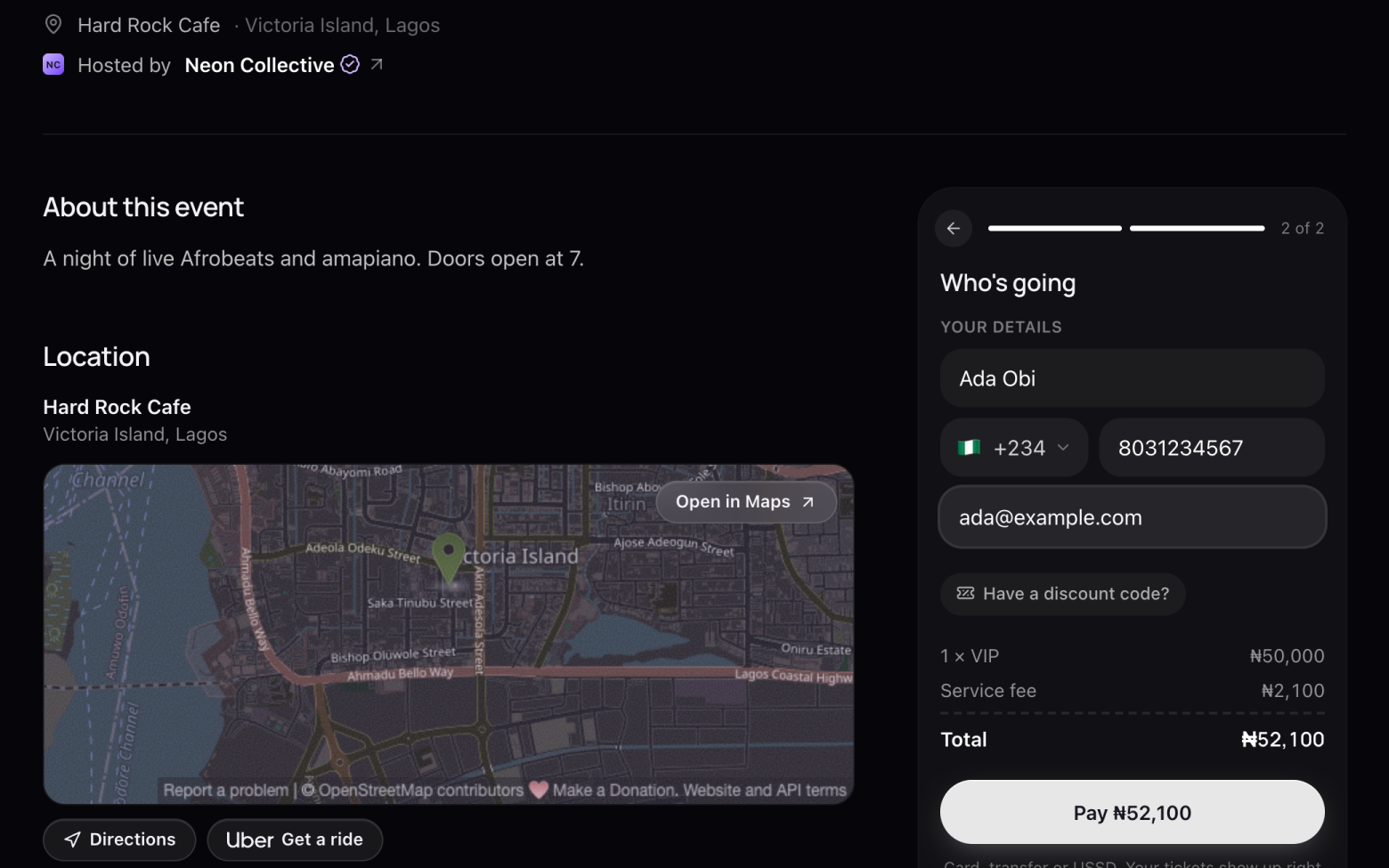
Add your details
- Click Continue.
- Enter your name, phone number and email. Your tickets are sent to that email, so check it's right.
- Have a discount code? Click Have a discount code? and enter it.
Step 4 of 5
Pay
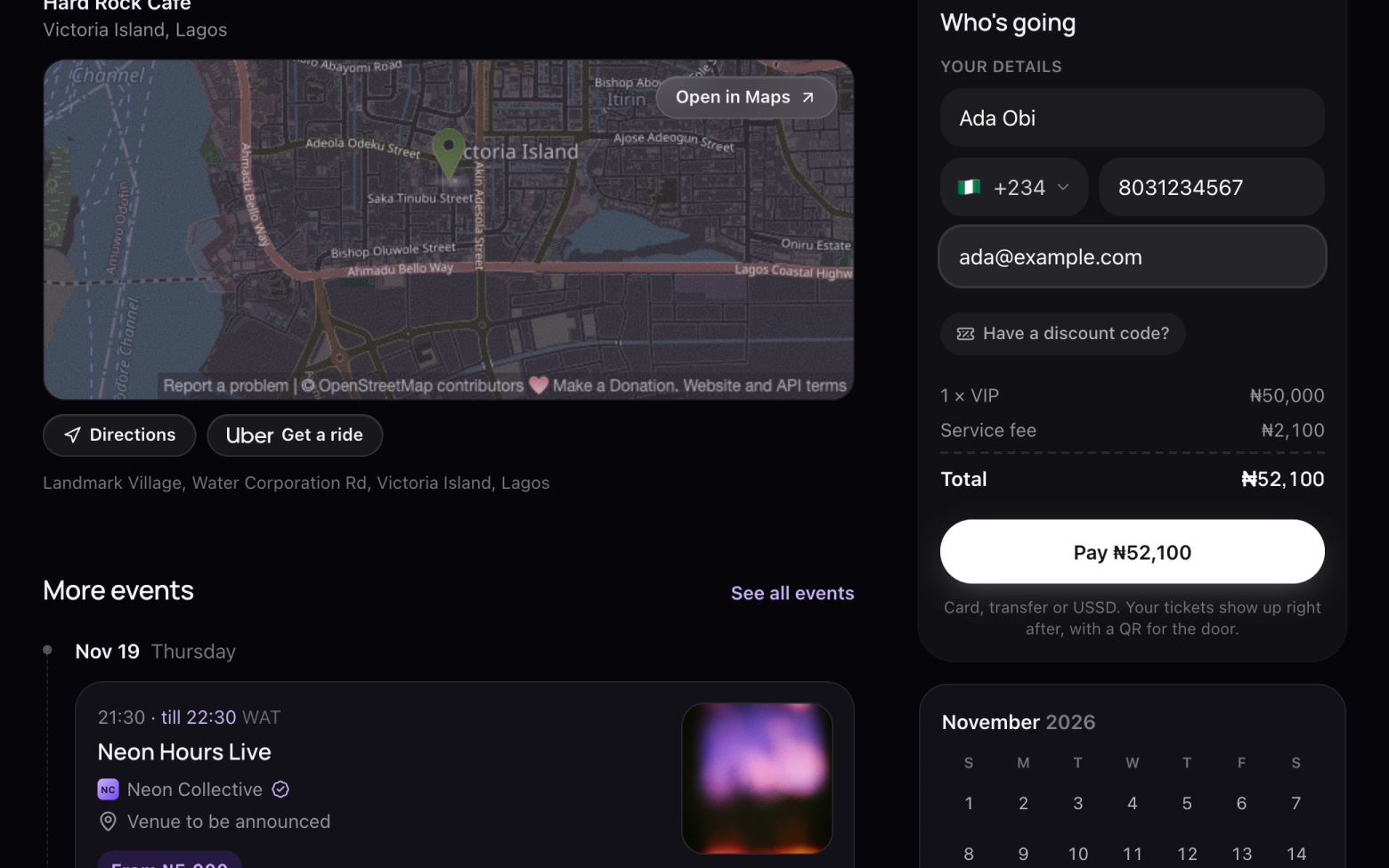
- Check the total, then click Pay.
- A secure Paystack window opens on the page. Pay by card, bank transfer or USSD.
Step 5 of 5
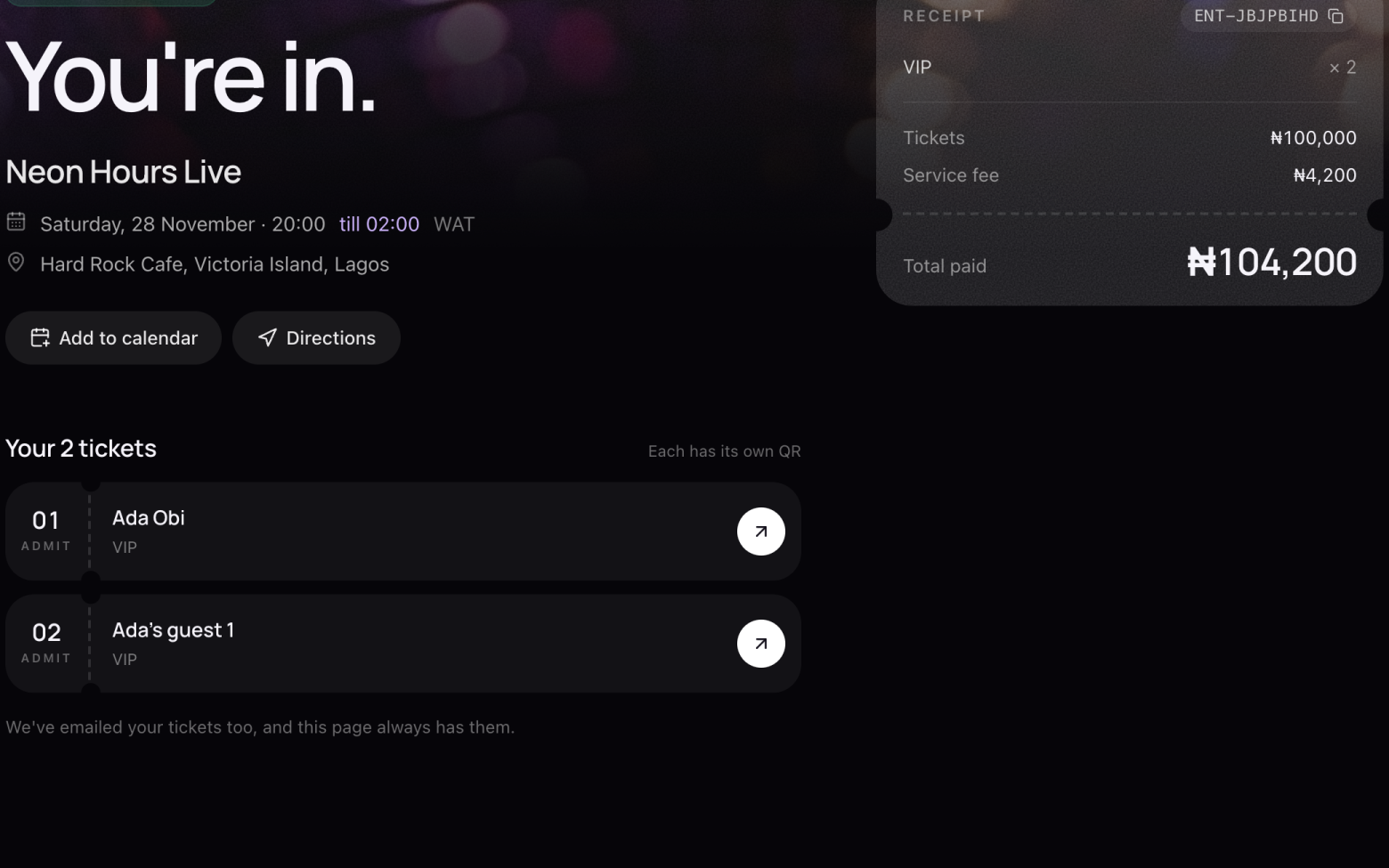
You're in
- Your tickets show up straight away, each with its own QR code.
- We email them to you too, so you can always find them again.
Still stuck? Email support@entrans.app and tell us what you were trying to do.
Next guideHow to find, save and use your tickets